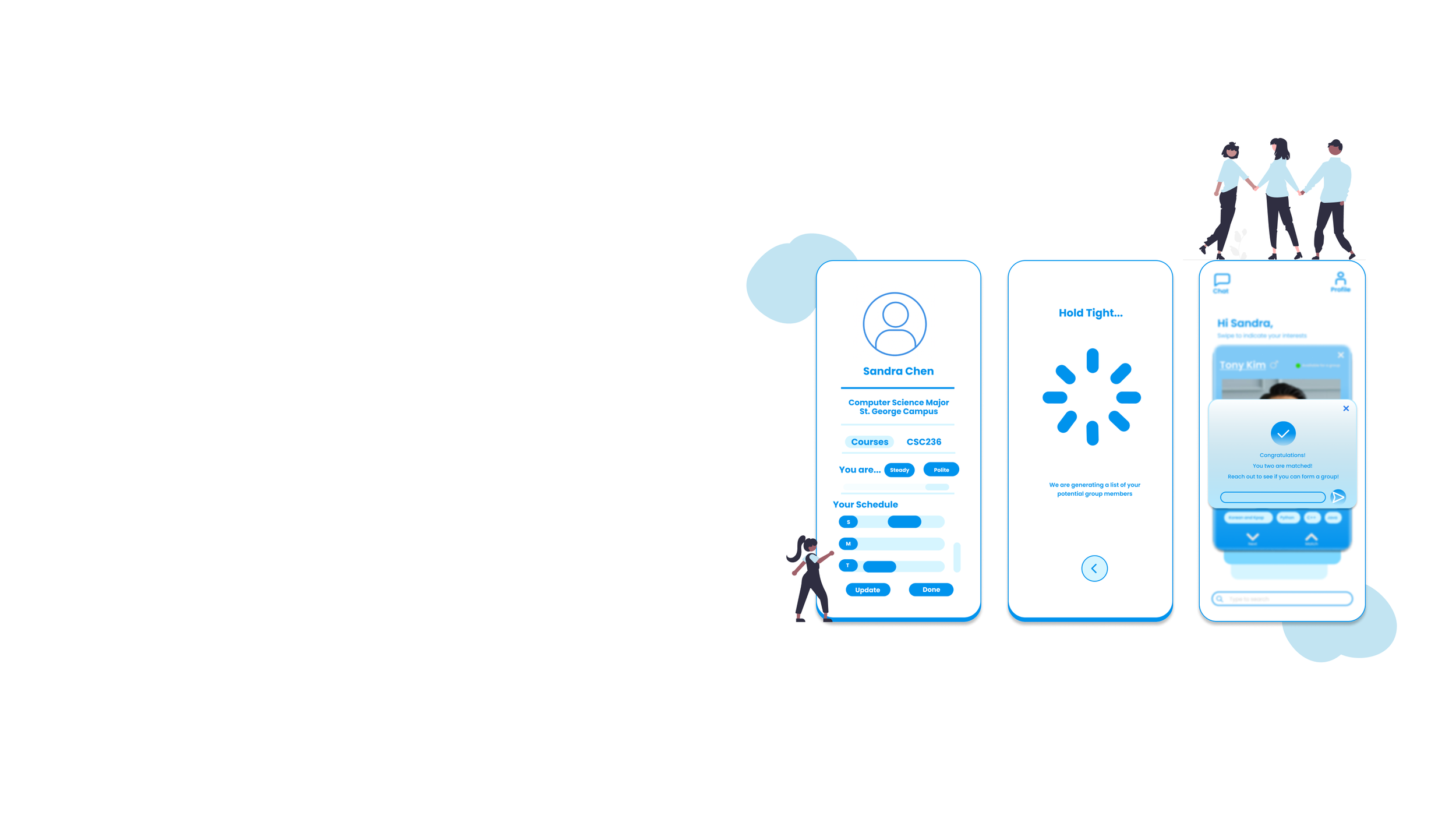
Mobile application to help students form academic groups
Nest: help you find the best group member
Timeline: 12 weeks
Tags: User Research & Interactive Prototyping
Tool used: Figma, Google form, Maze
Team: 6 members from the course project group
The Brief
Design a solution to enhance the group forming experience for academic projects
A mobile application that helps students who study online:
to know their classmates better
to be more comfortable to reach out and make friends virtually
to form groups quickly and with compatible team members

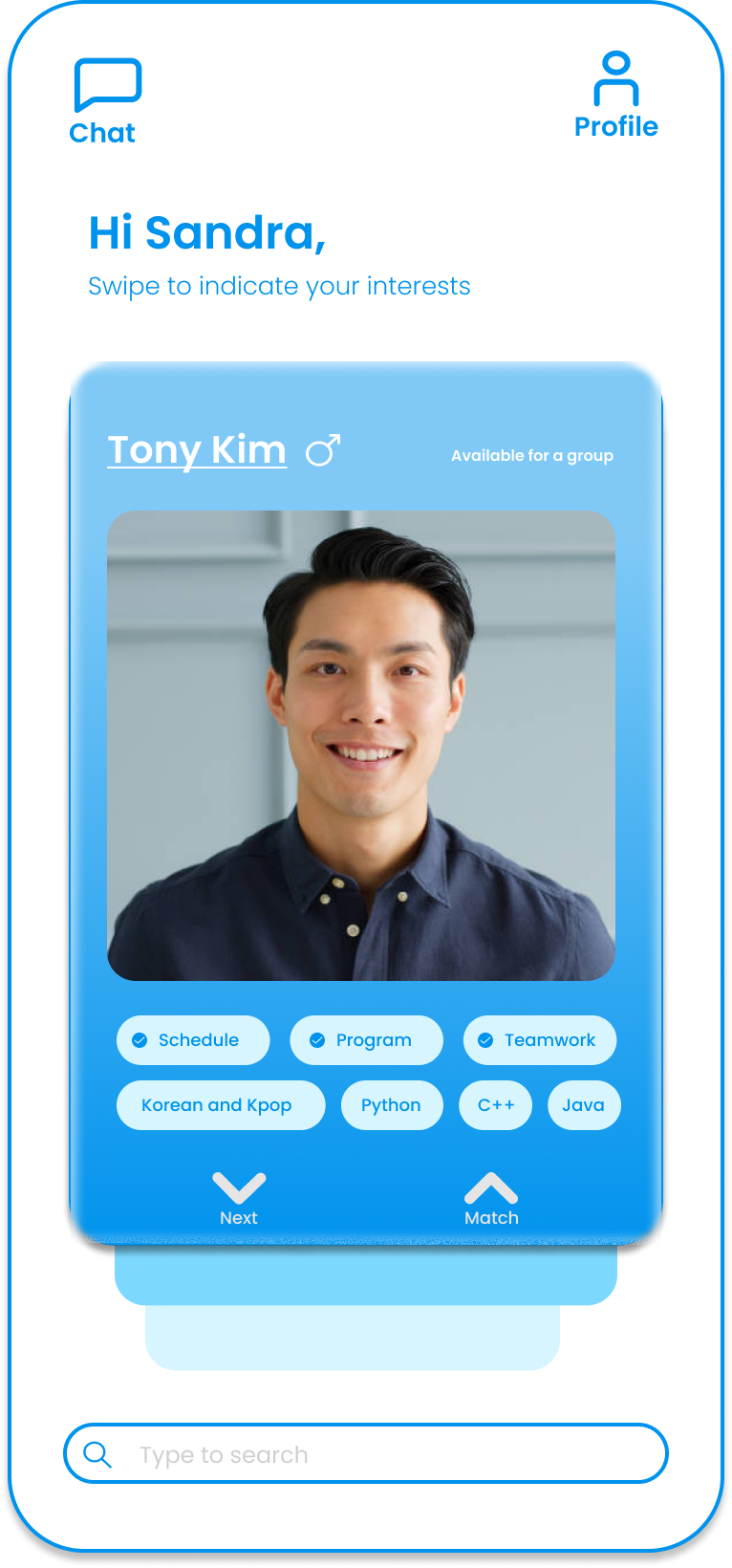
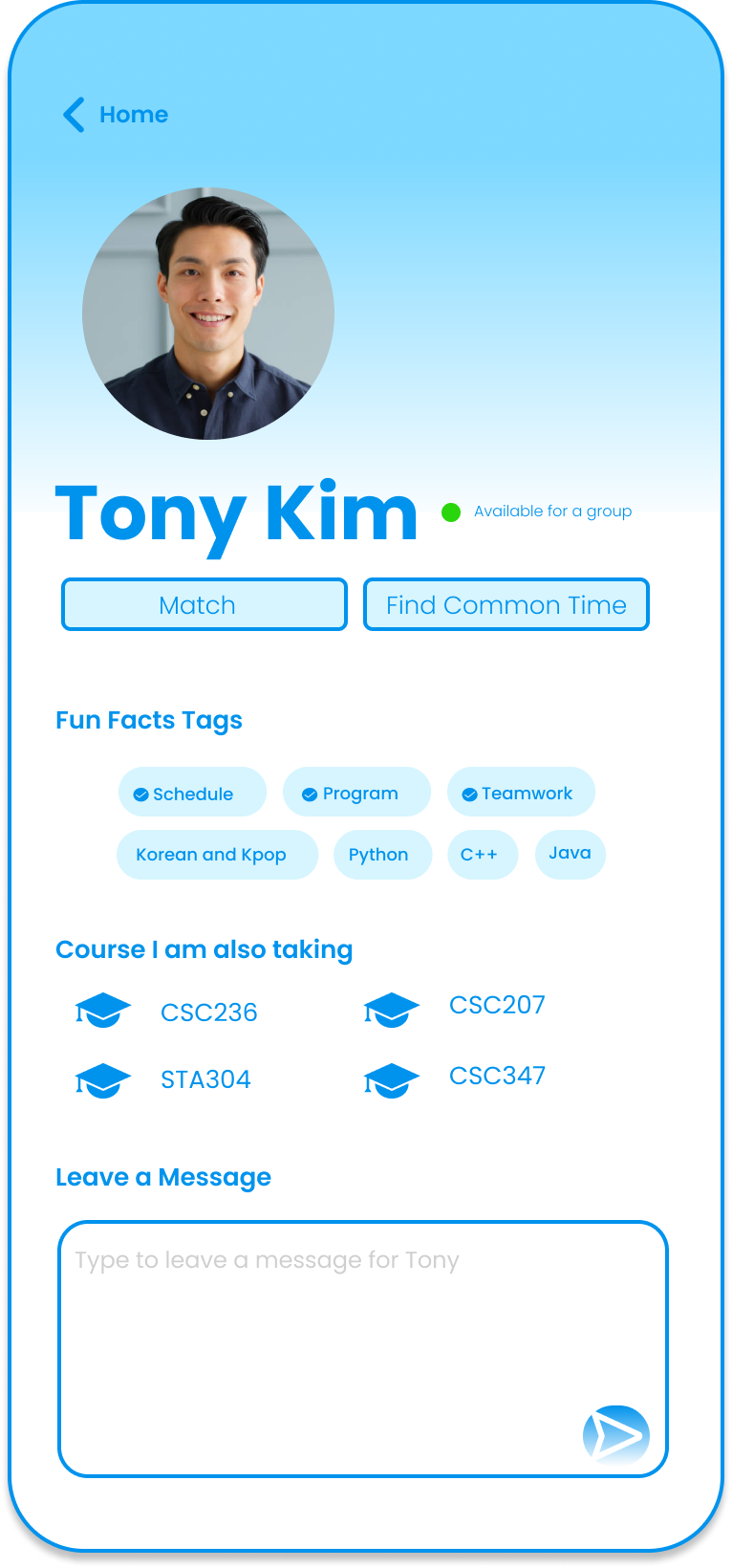
A Sneak Peak
My Role in the Project
Conducted user research
Managed and led the team work
Designed the prototypes
Visualized and presented the results

User research insights
How current student at the University of Toronto form their groups for the course projects?
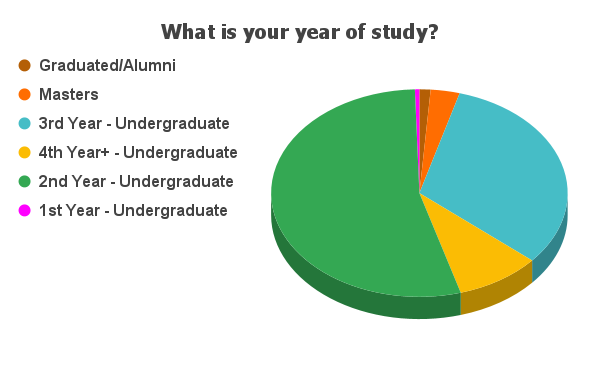
We have done 10 user interviews and gathered over 400 survey responses on how students who study online form their groups for the course projects

Uncertain and uncomfortable to reach out.
Most students were reluctant to reach out to other classmates since they felt awkward and had the fear to make friends
The current platform is hard to use.
The current students’ platform for finding group members and seeking for academic help is called Quercus, which is very hard to use
Lots of students are already in a group with their friends.
The uncertainty of who is already in a group VS. who is still looking for a group costs a lot of time and effort for students to find a match
Have different expectations with the members.
Different grade expectations, different time schedules, different work styles will cause disparities among group members
User research data synthesis
What kinds of users are we facing?
Now, meet Sandra Chen, the international student
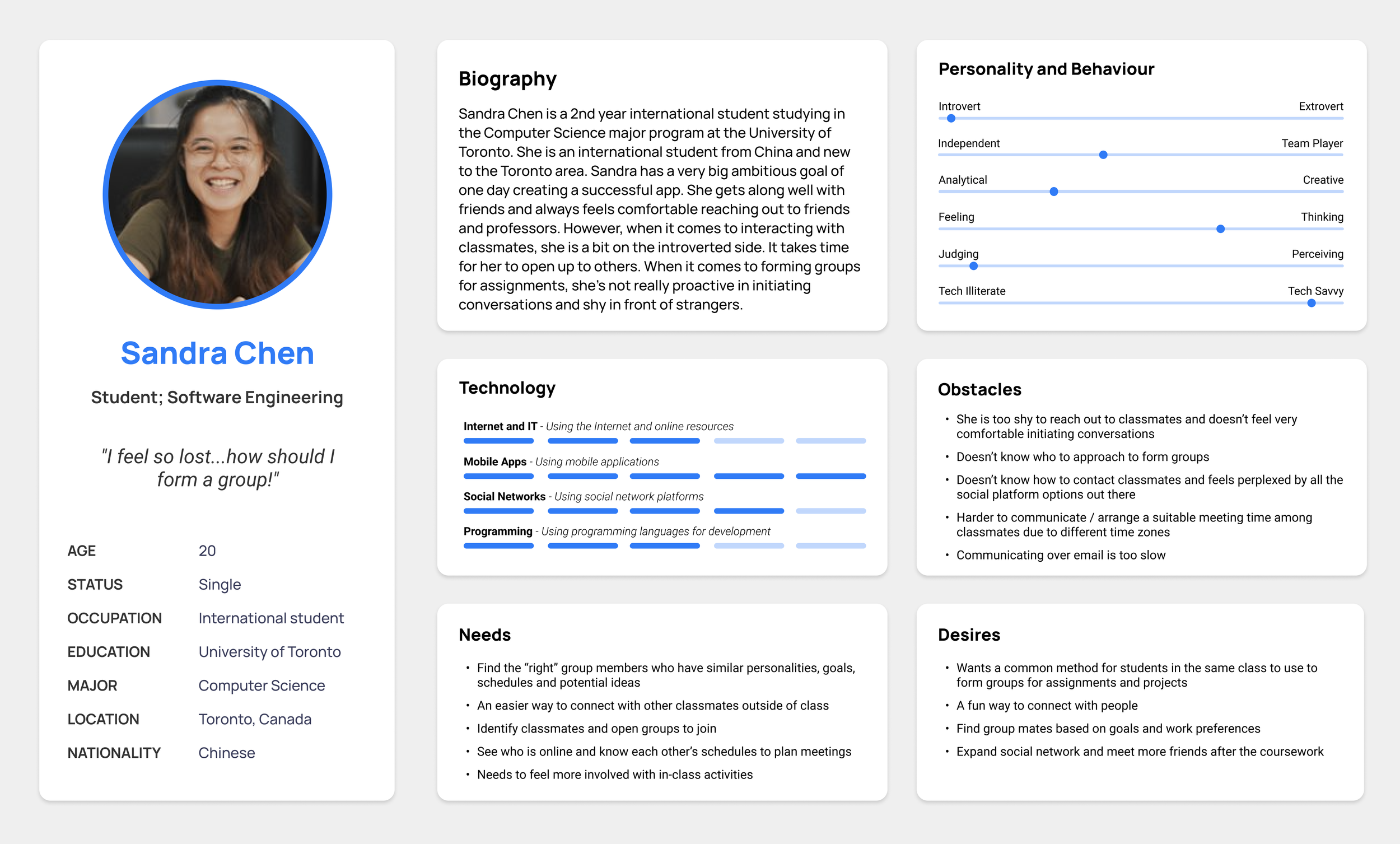
How’s Sandra’s experience in finding a group member for her course project?
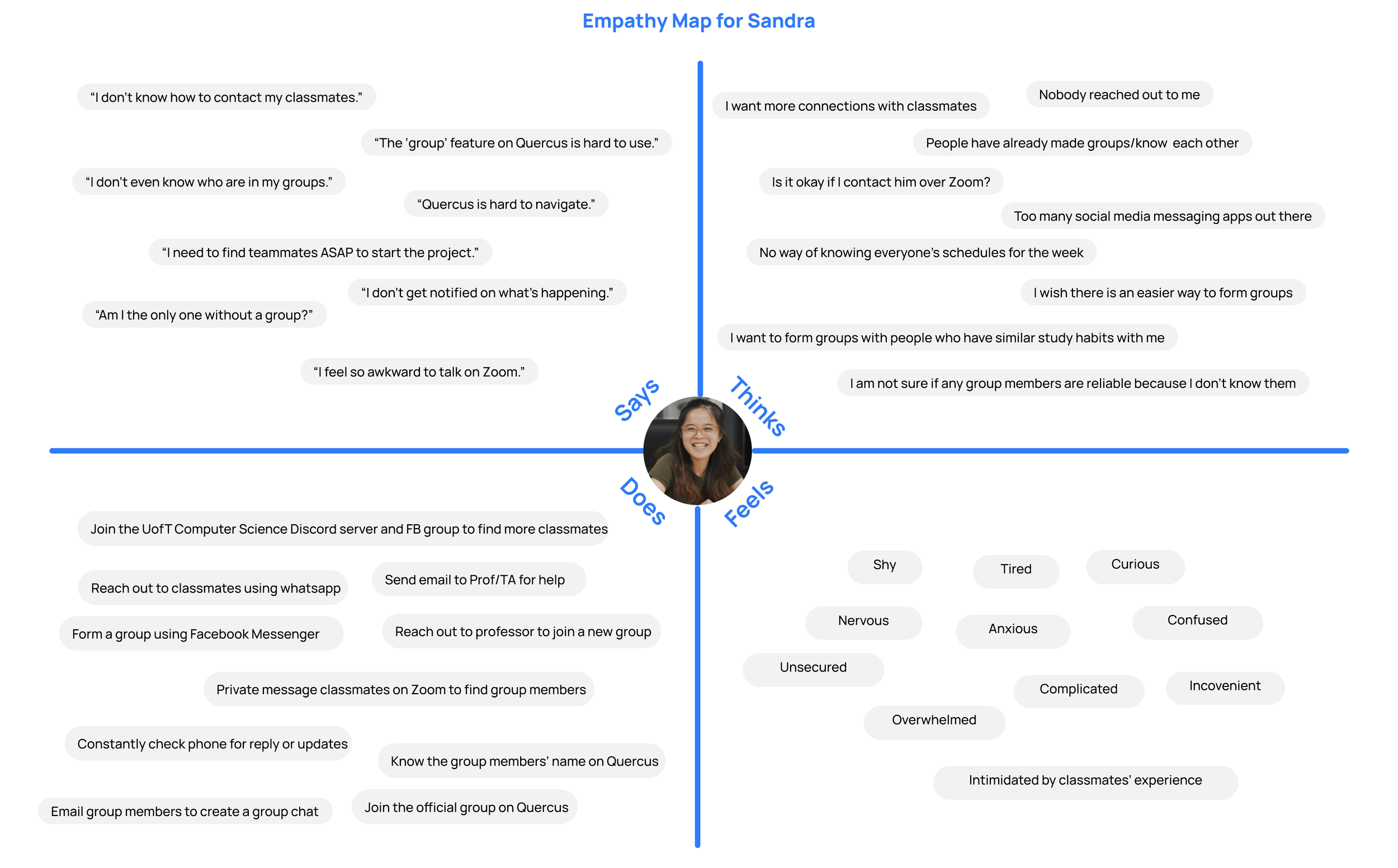
Needs statements
So, what does Sandra need?
As a team, we constructed a journey map for the current group forming experience that Sandra is encountering and voted for the top pain points that we’d like to tackle in our design solution.
Based off the pain points, we created user needs statements for us to focus on when it comes to the design.
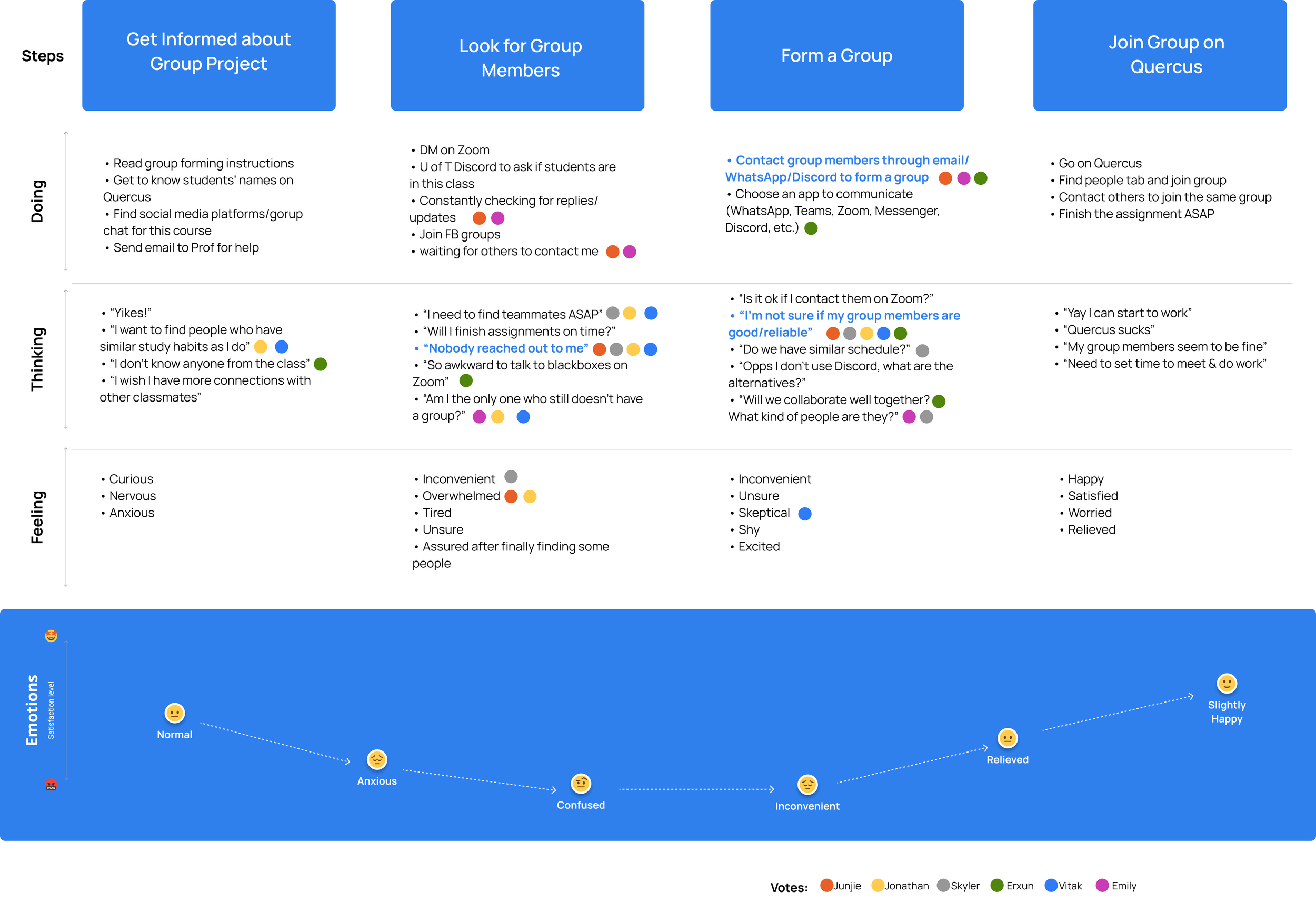
Sandra the student, needs a way to better understand her classmates so that she can find compatible group members.
Sandra the student, needs a way to connect with her classmates so that she won’t feel awkward to reach out to them.
Sandra the student, needs a way to communicate with group members so that she does not have to contact them using multiple apps.
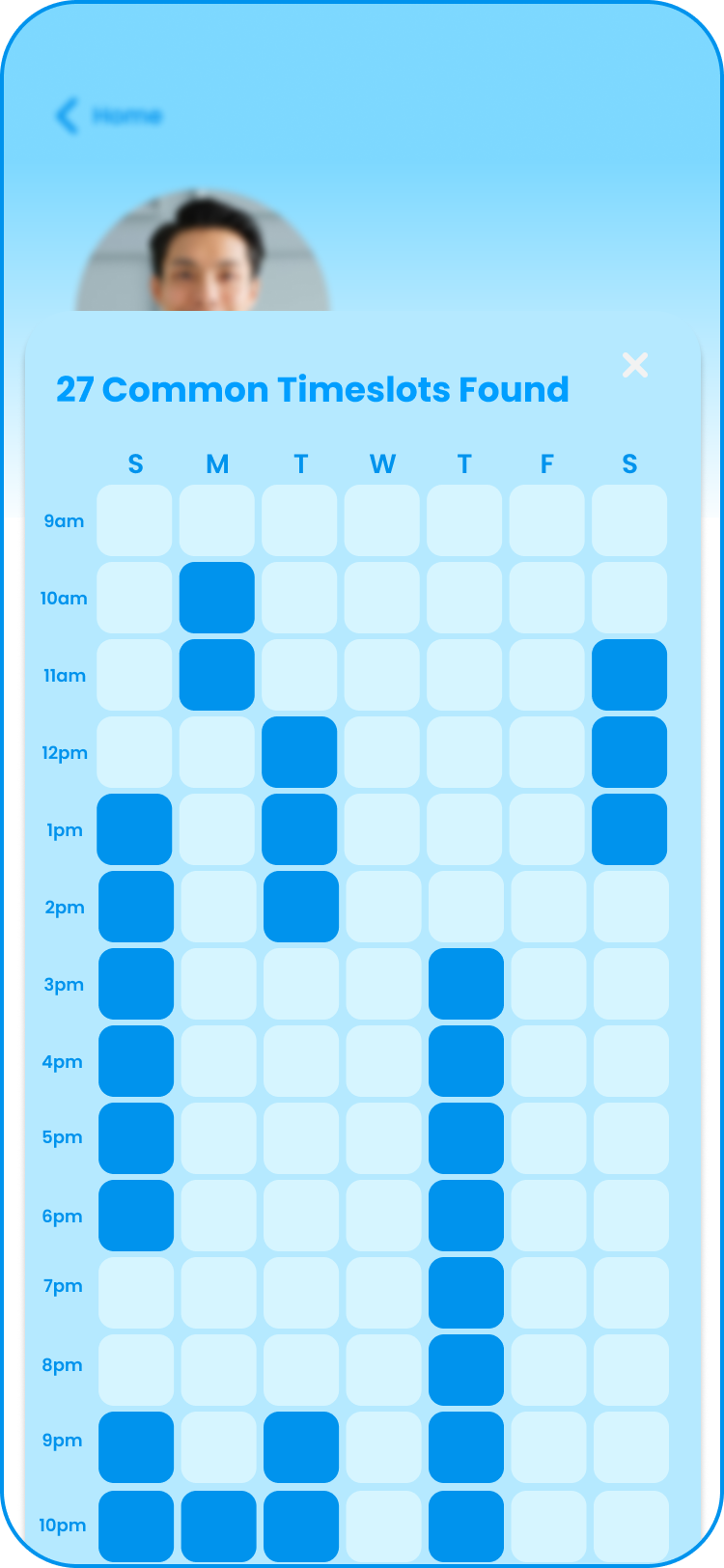
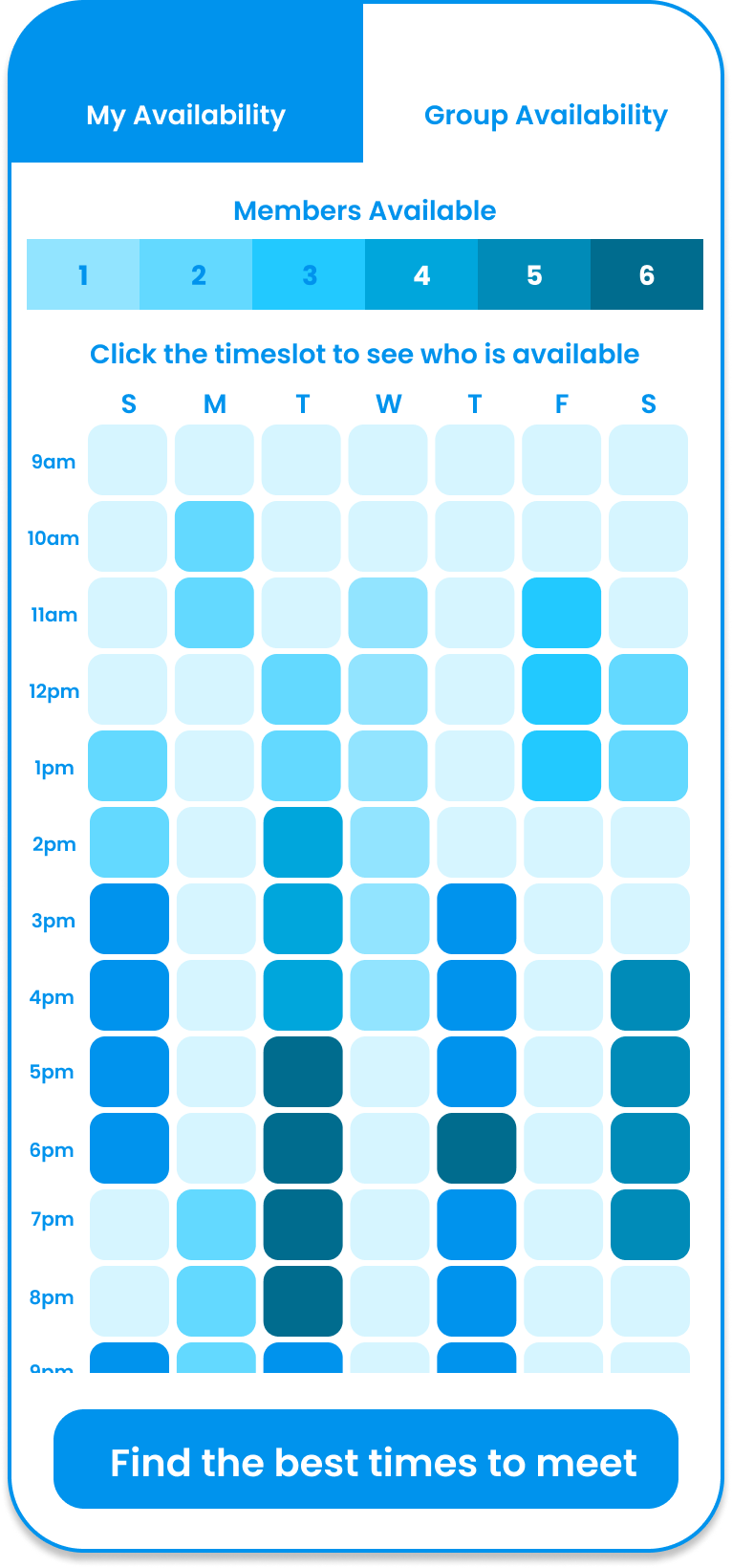
Sandra the student, needs a way to find out the schedule of each potential group member so that she can better collaborate with the future group.
Ideation and prioritization
Students need one centralized platform to know, find, and communicate with their future group members
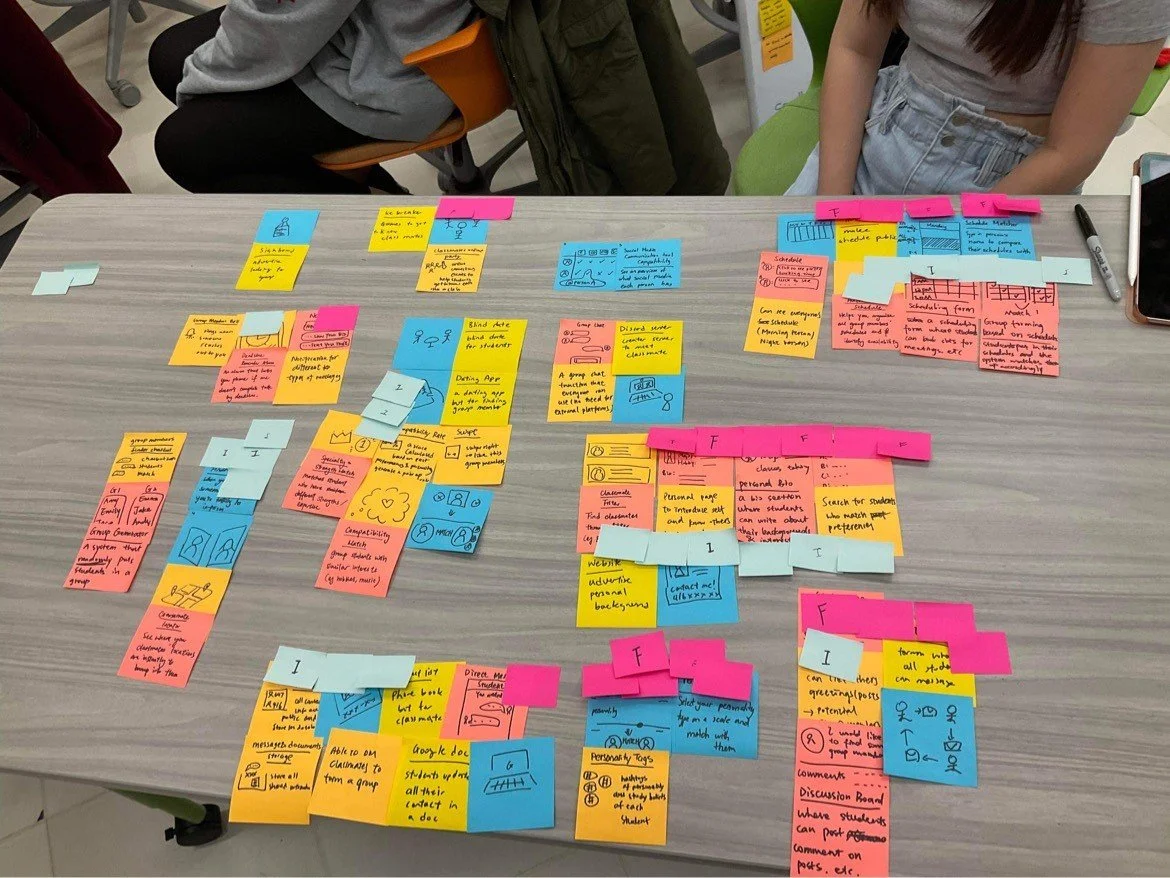
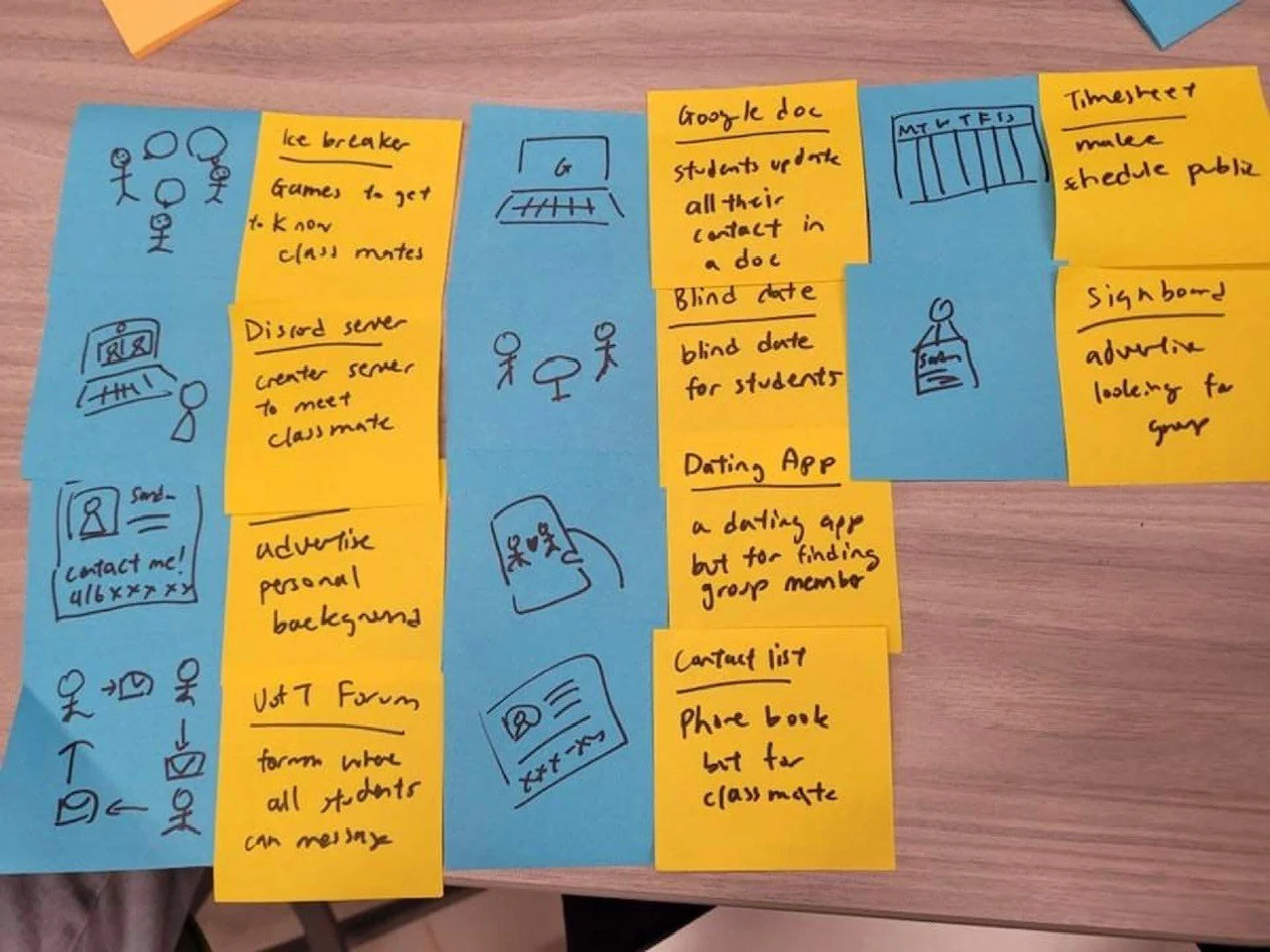

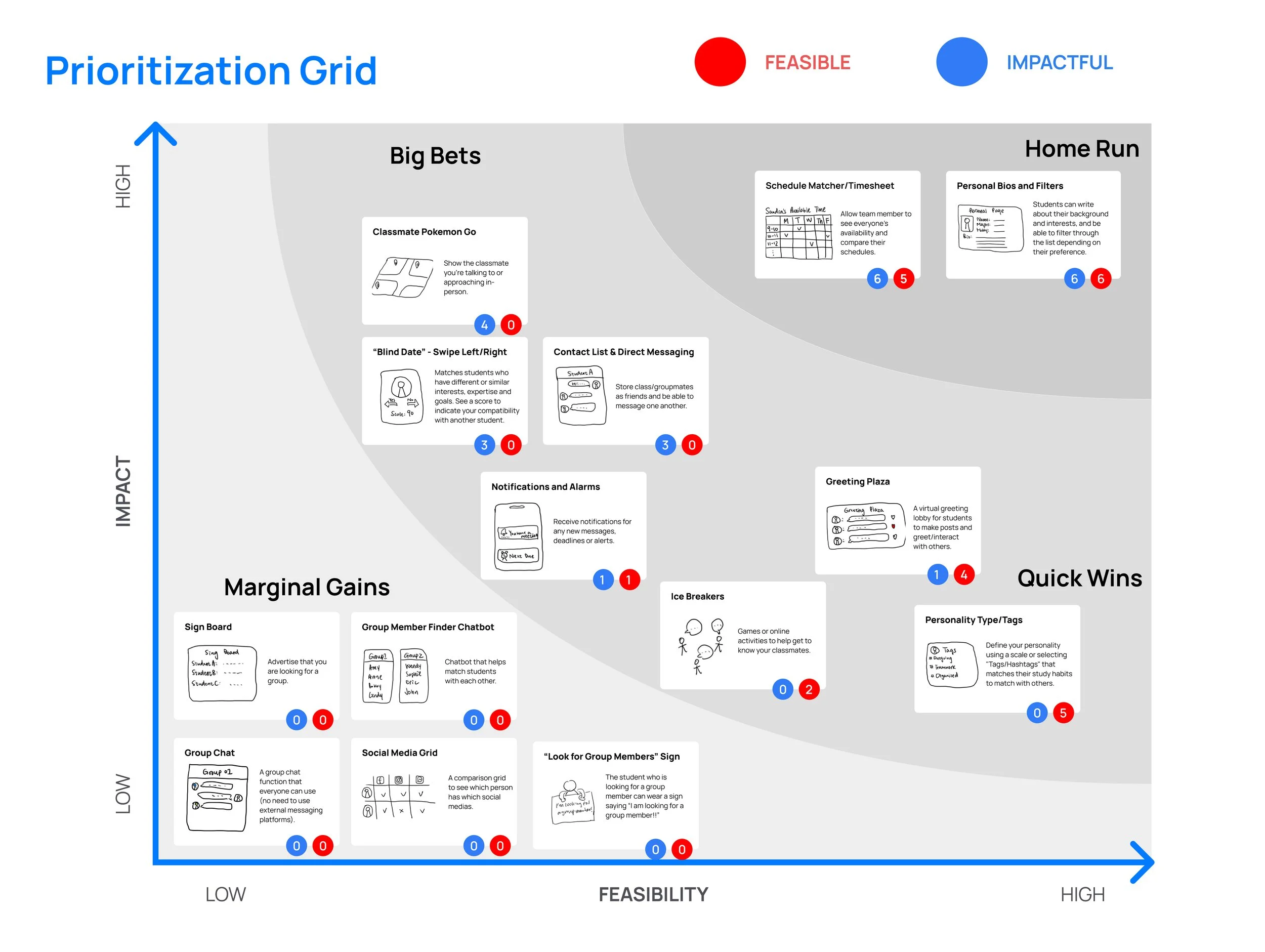
The prioritization grid
As a group, we voted for the most impactful and the most feasible ideas and prioritized the ideas in a grid like this.
Since this is a school course project, the impact will be the most effective idea that solves the pain points and the feasibility will be determined based off our group members’ expertise, time and the available resources.

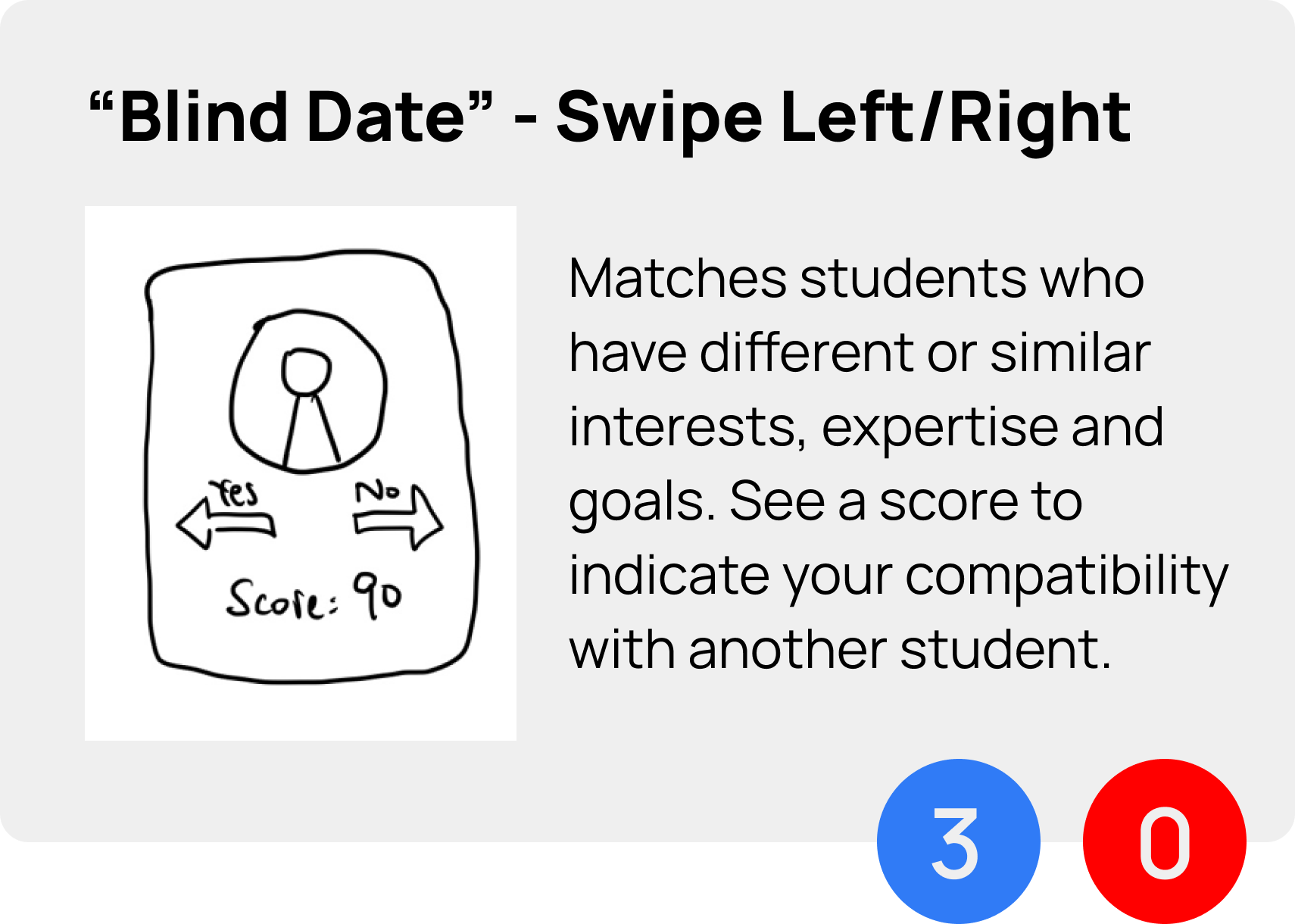
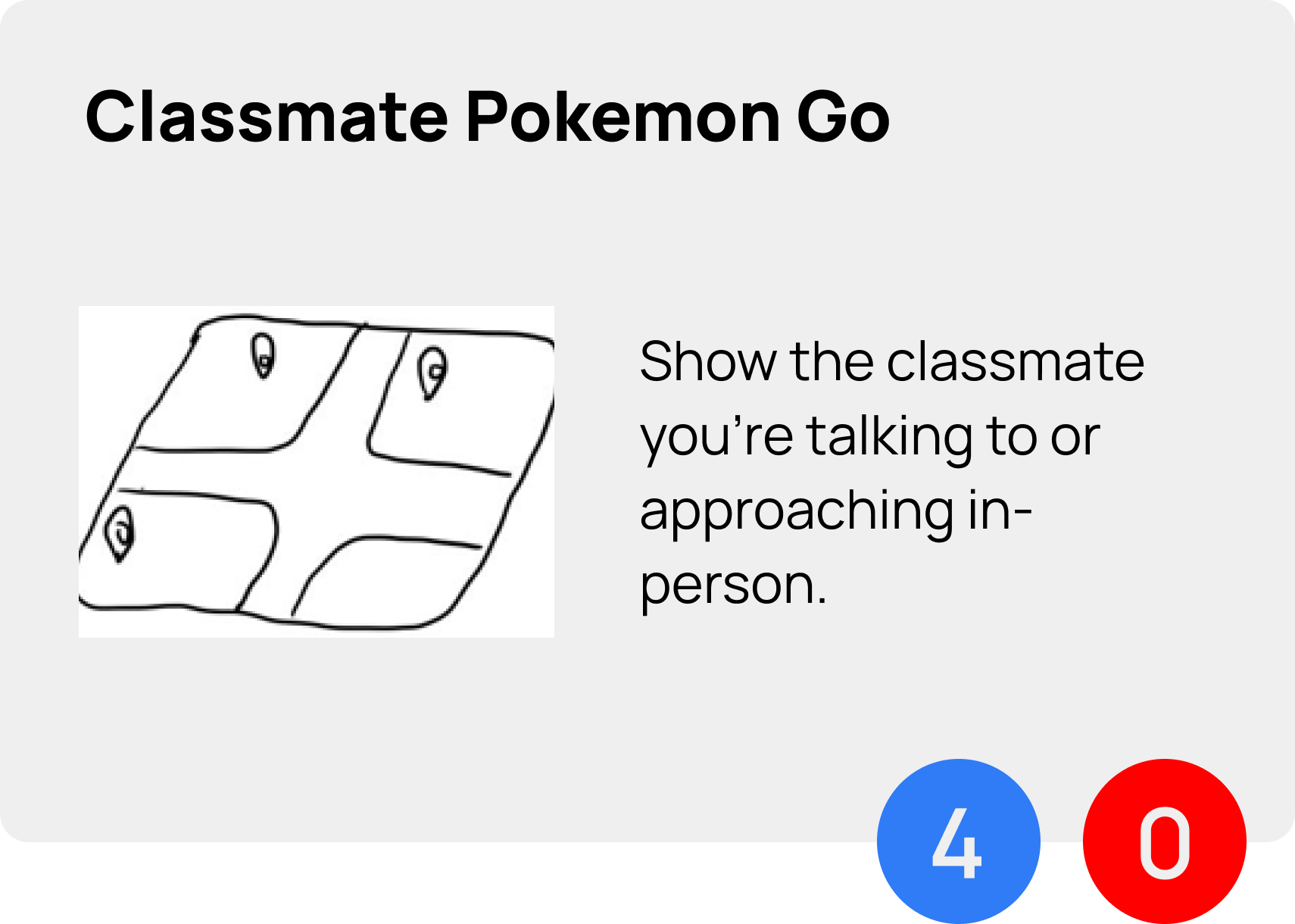
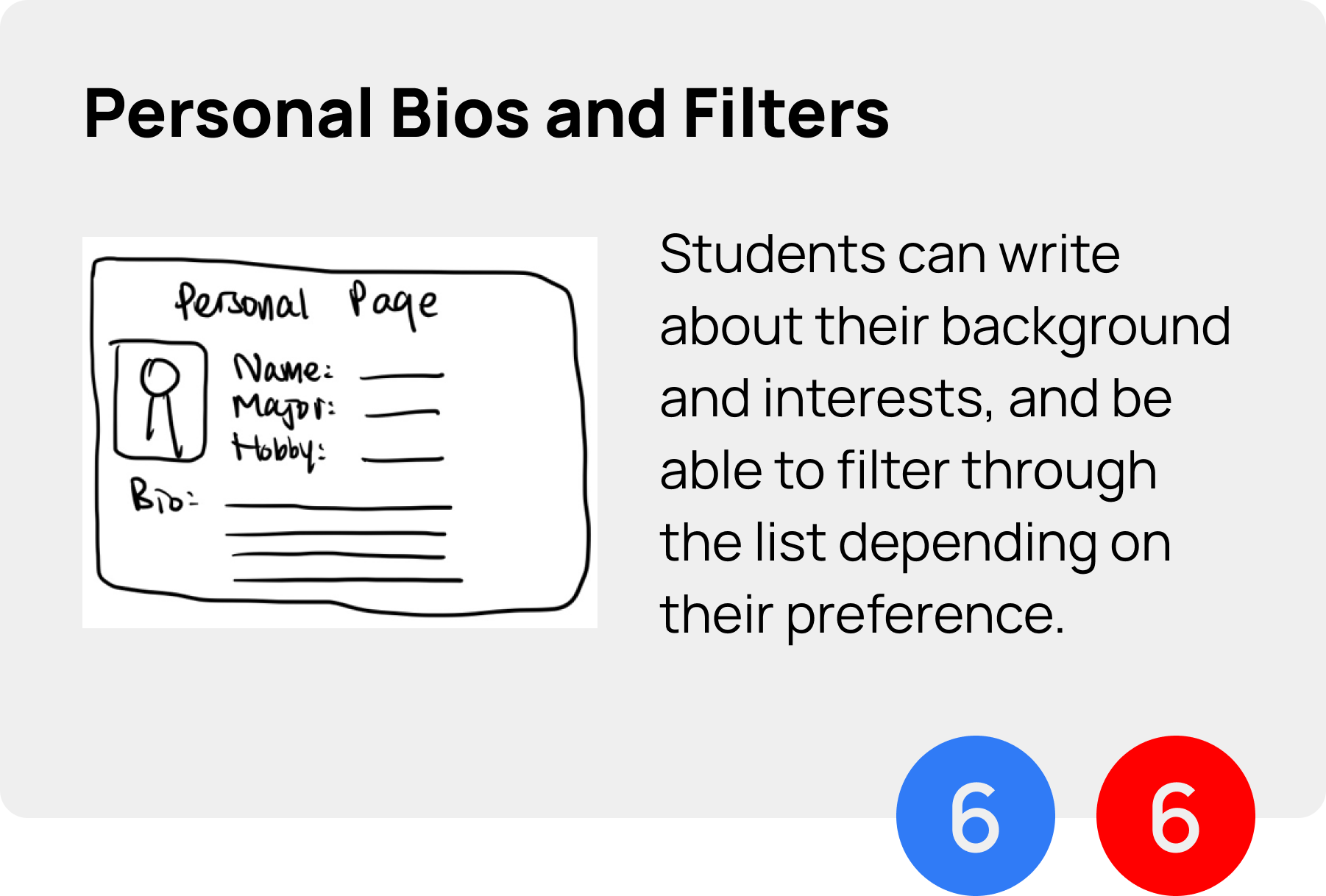
The absurd idea but inspired us later on
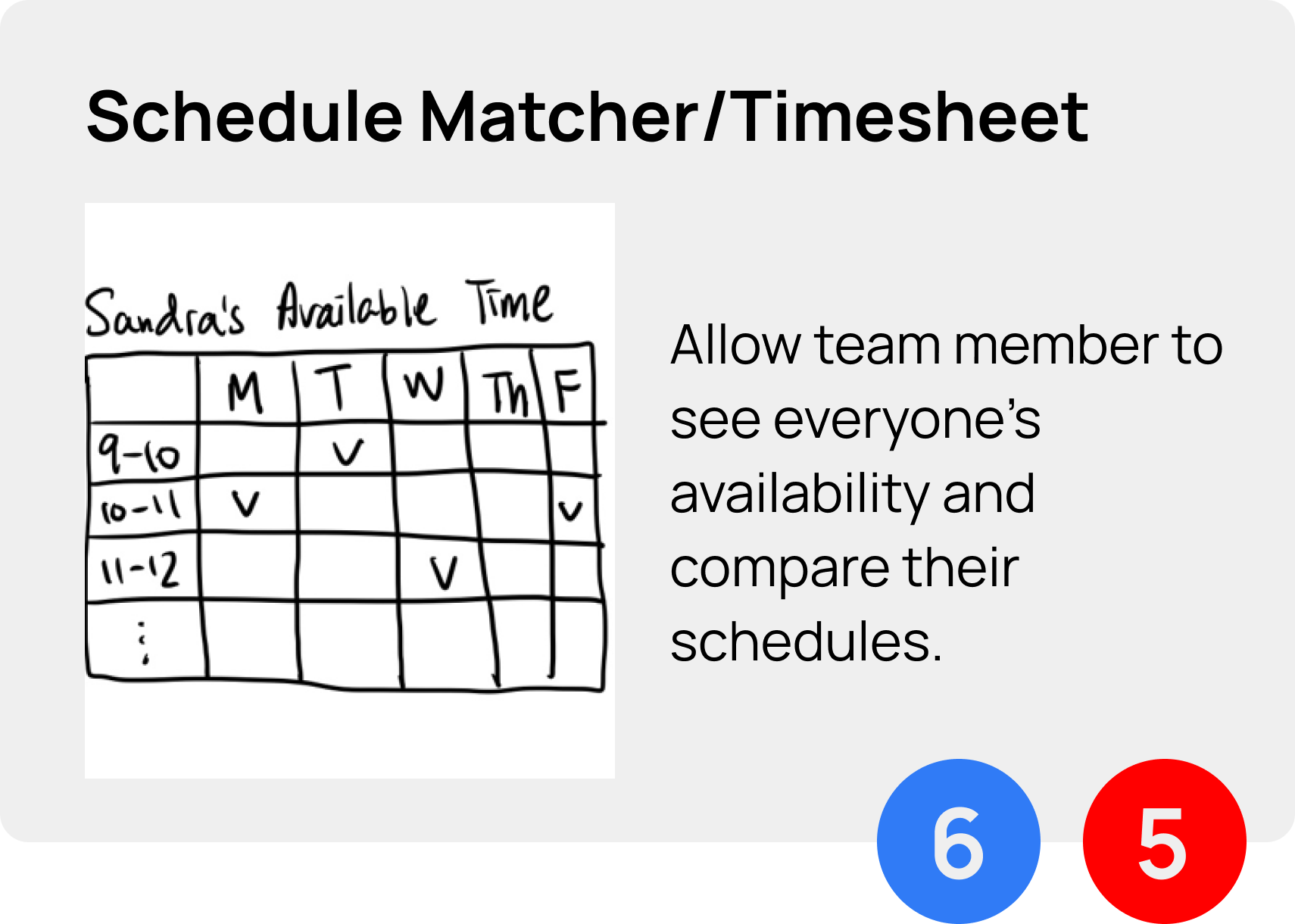
The prioritized ideas which are both feasible and impactful
No idea is a bad idea
How we convert the absurd ideas into use?
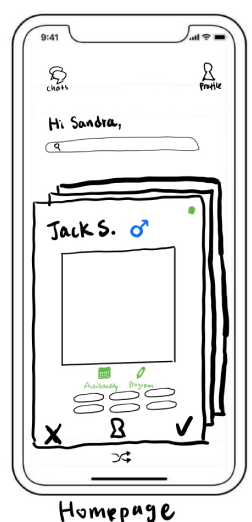
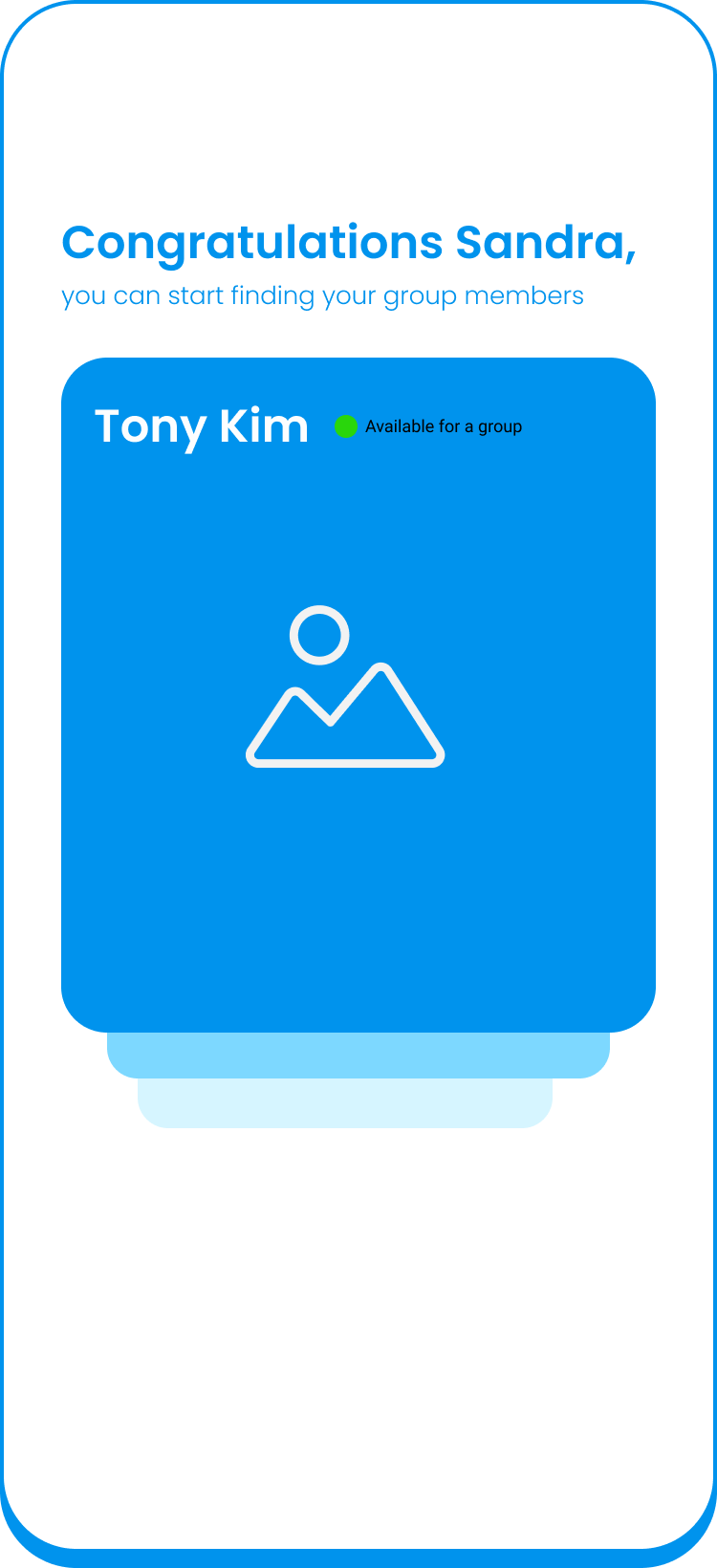
Adopted the dating app UI so that students can adapt to this app more easily
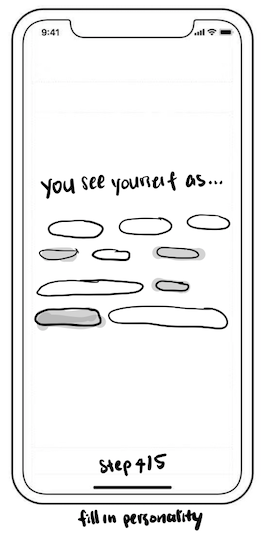
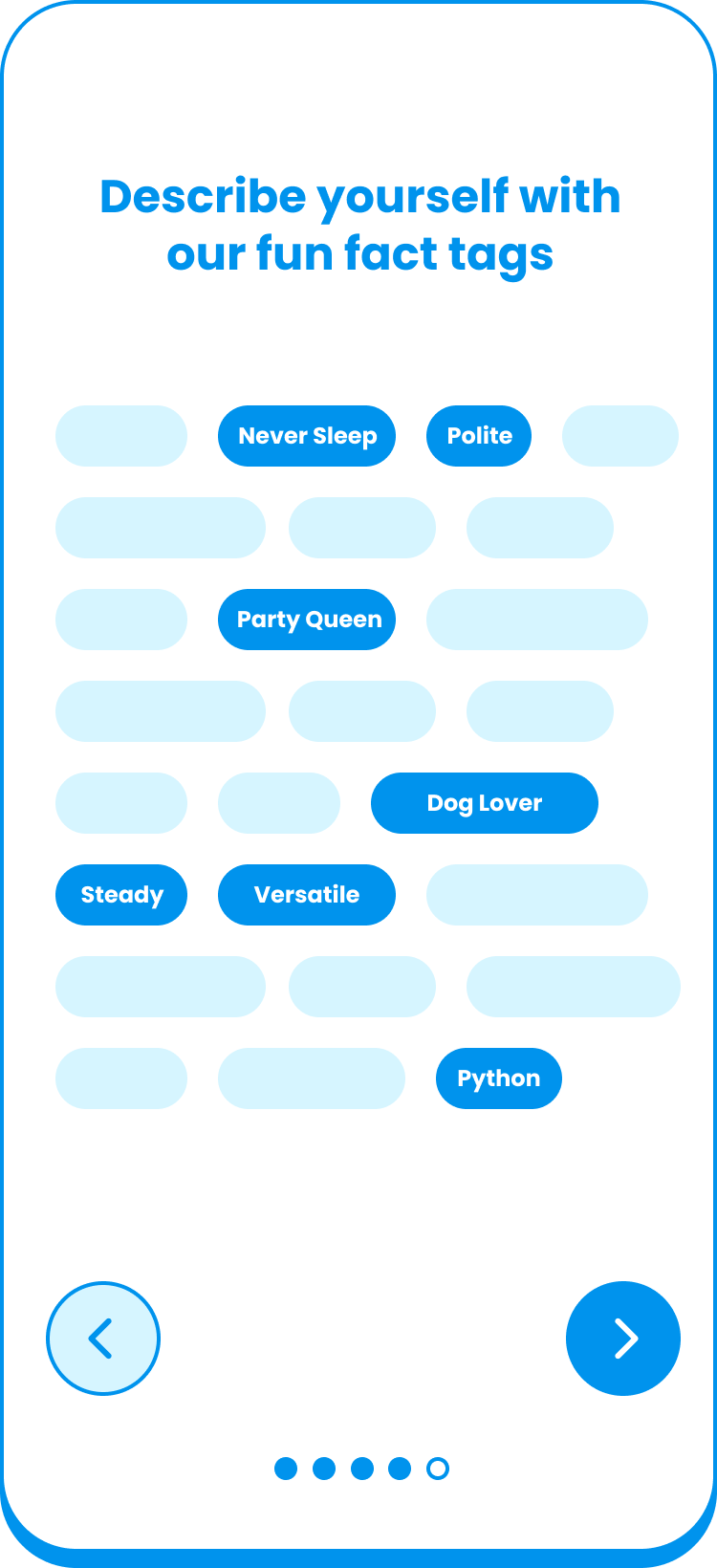
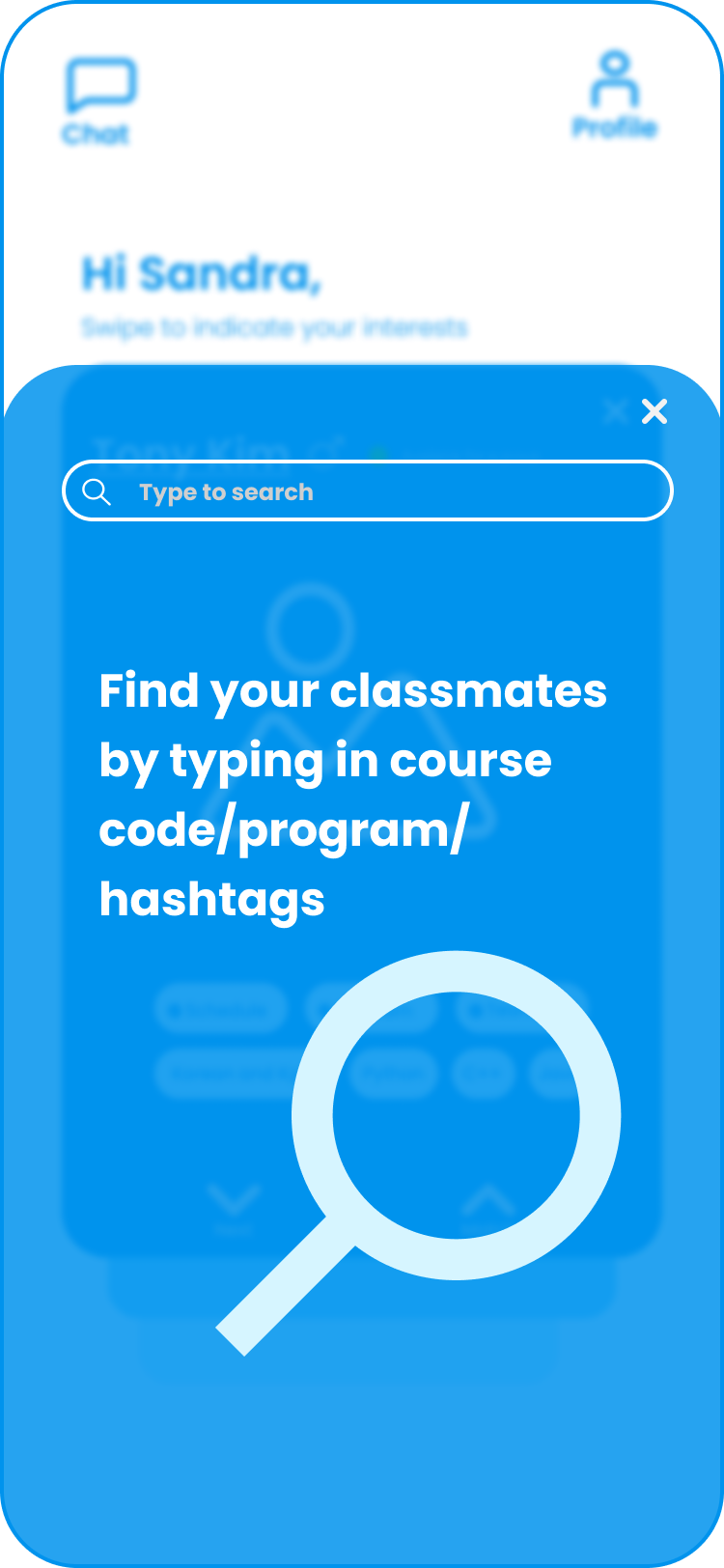
Having a personality hashtag feature to help students better find the compatible group members
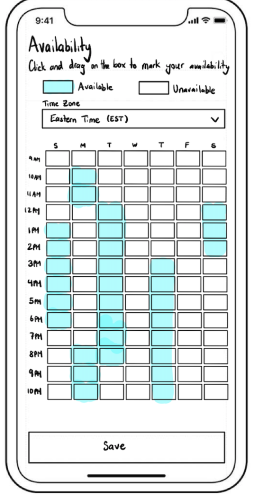
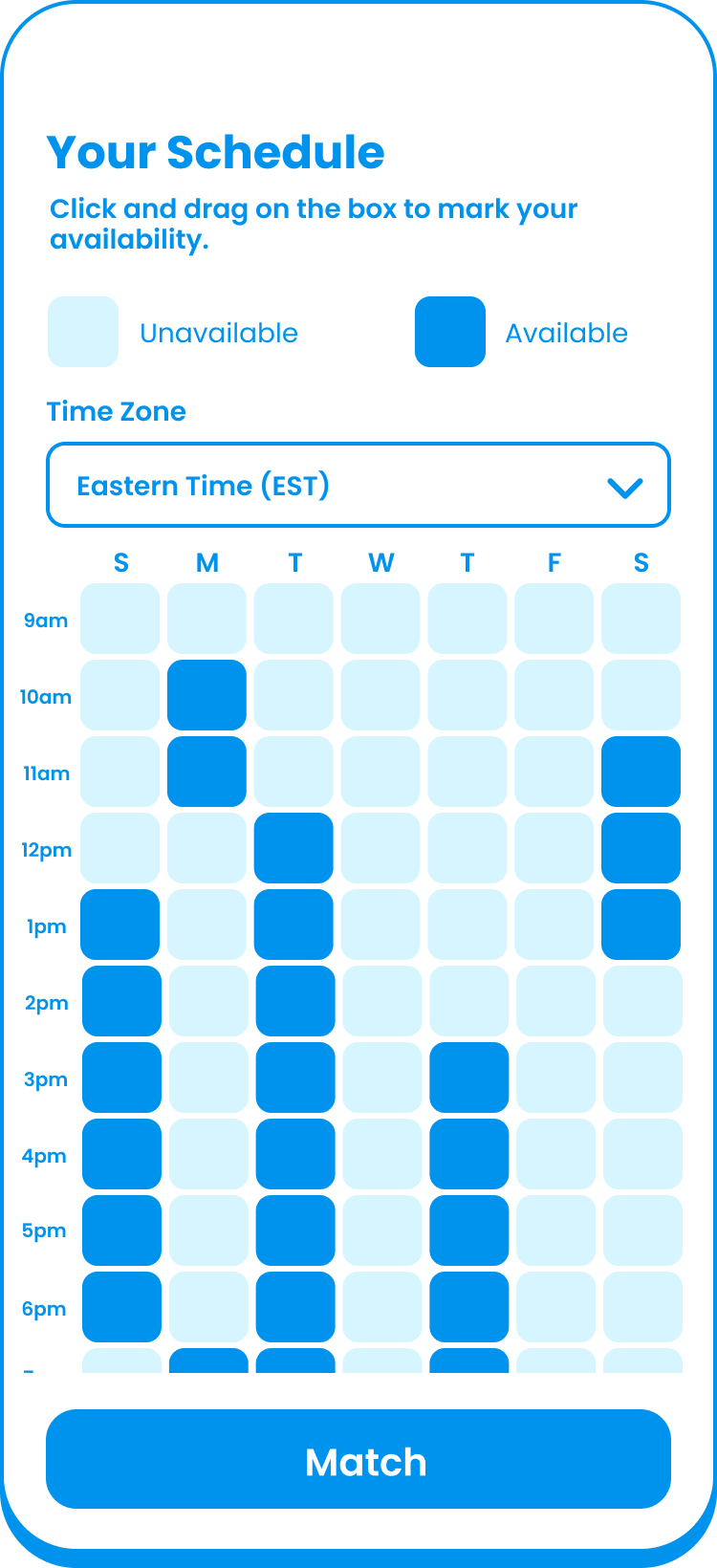
Enable students to fill in their availability to find others who have the common availability
Wireframes
Let’s put these ideas into a flow
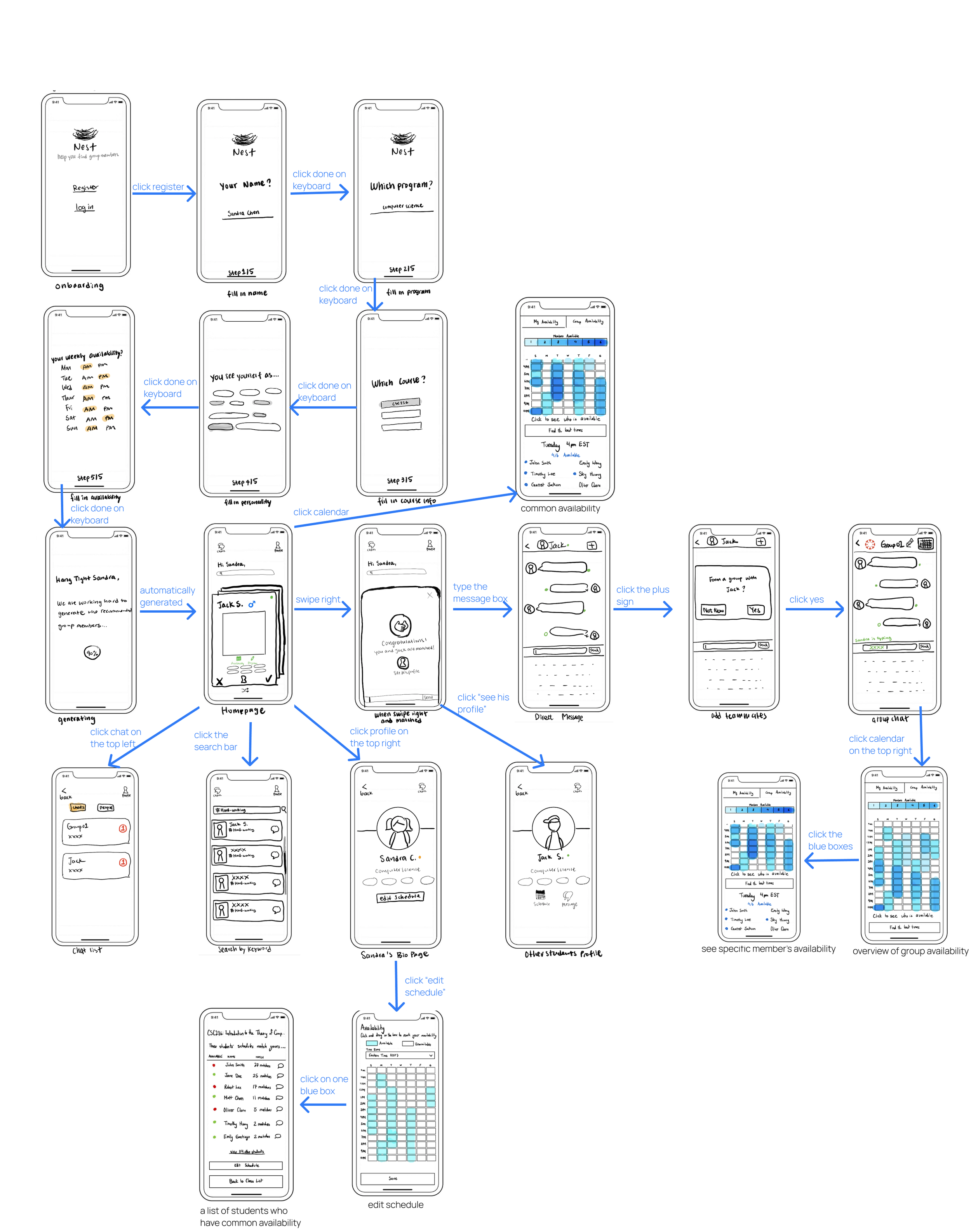
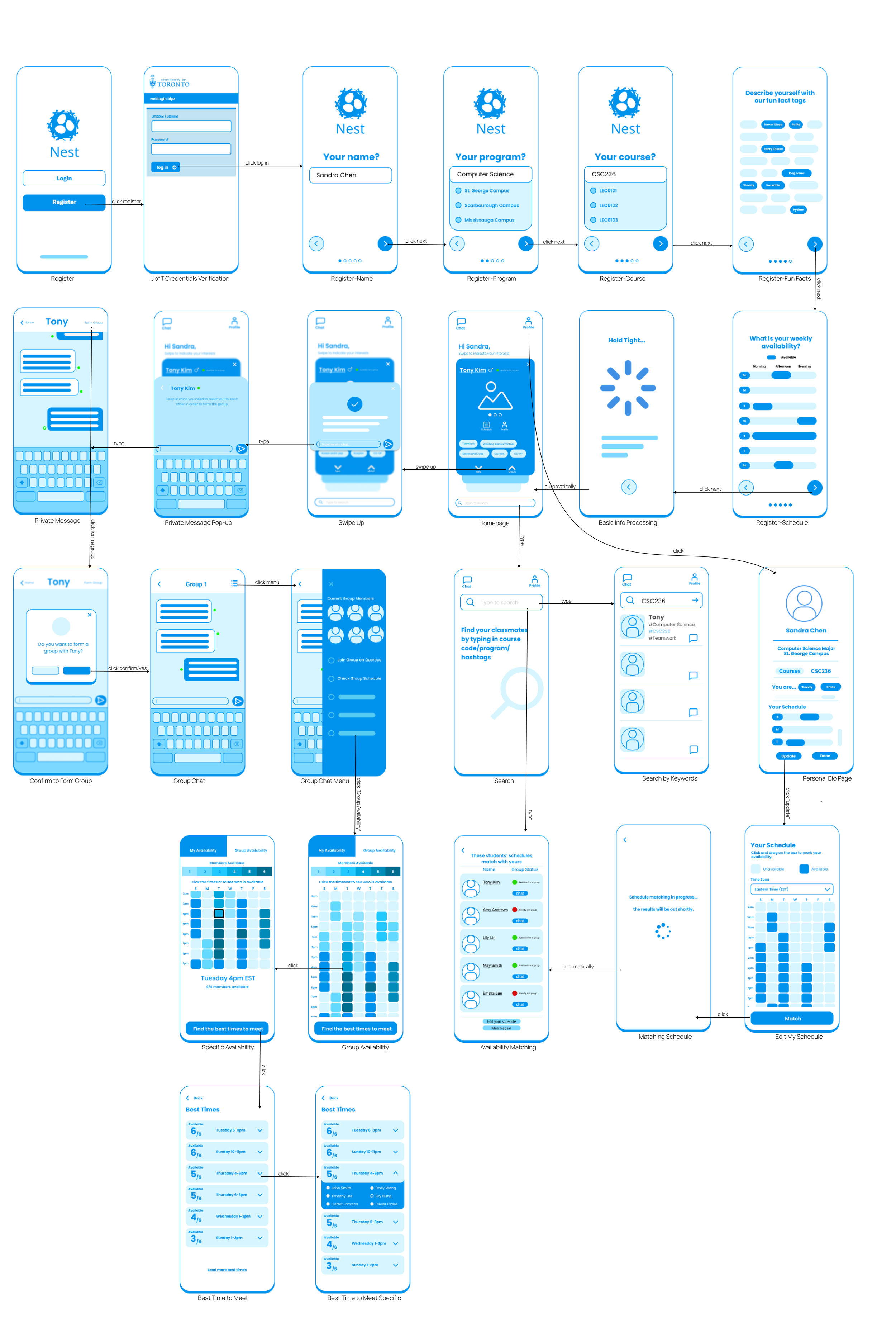
Usability testing
How well does this mobile app solve the problem?
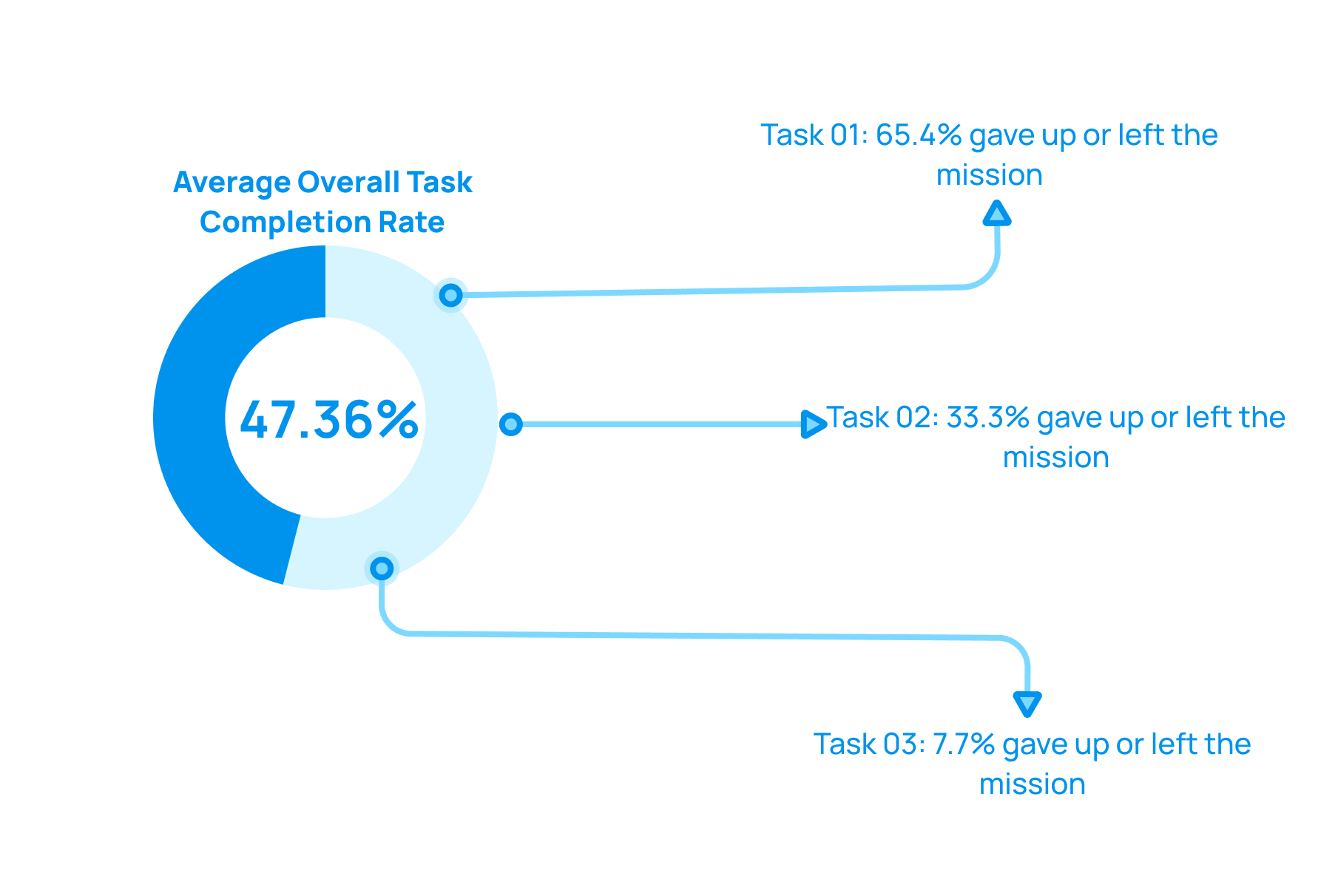
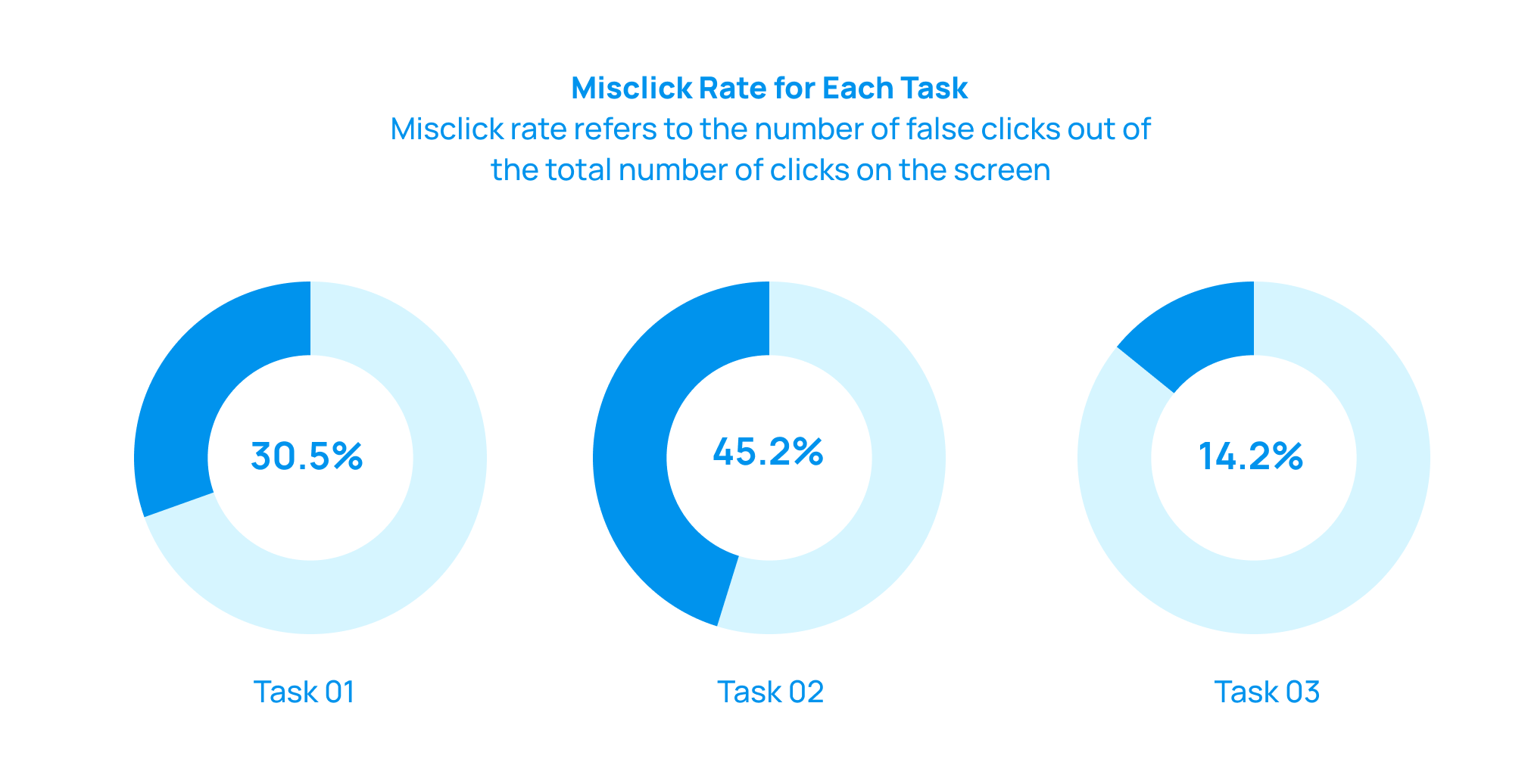
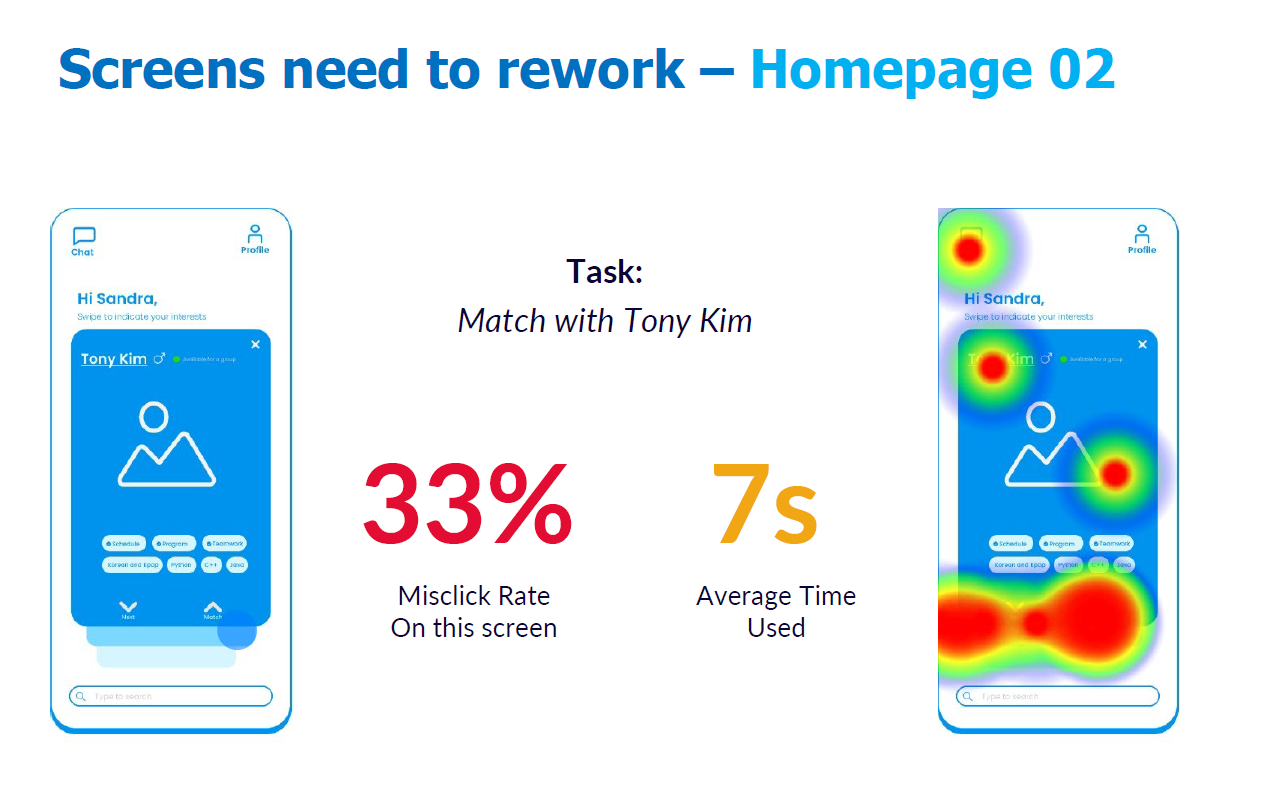
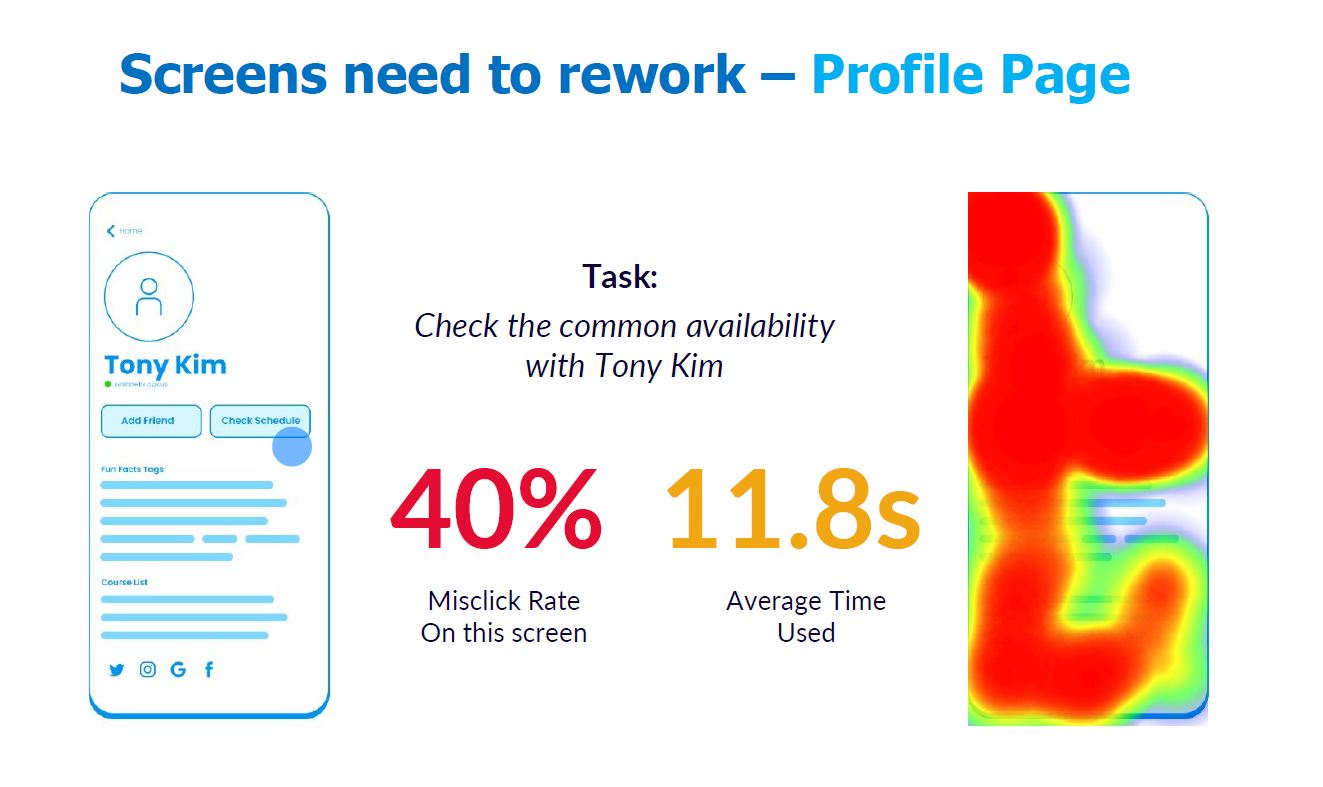
We created a clickable prototype and put it on Maze, which is a platform to help us gather data from the usability testing. We gave 64 users three tasks to complete and see how they perform in terms of these tasks:
Find someone who is hard-working
Check the person’s schedule after you found this guy
Send a direct message and form a group with the person
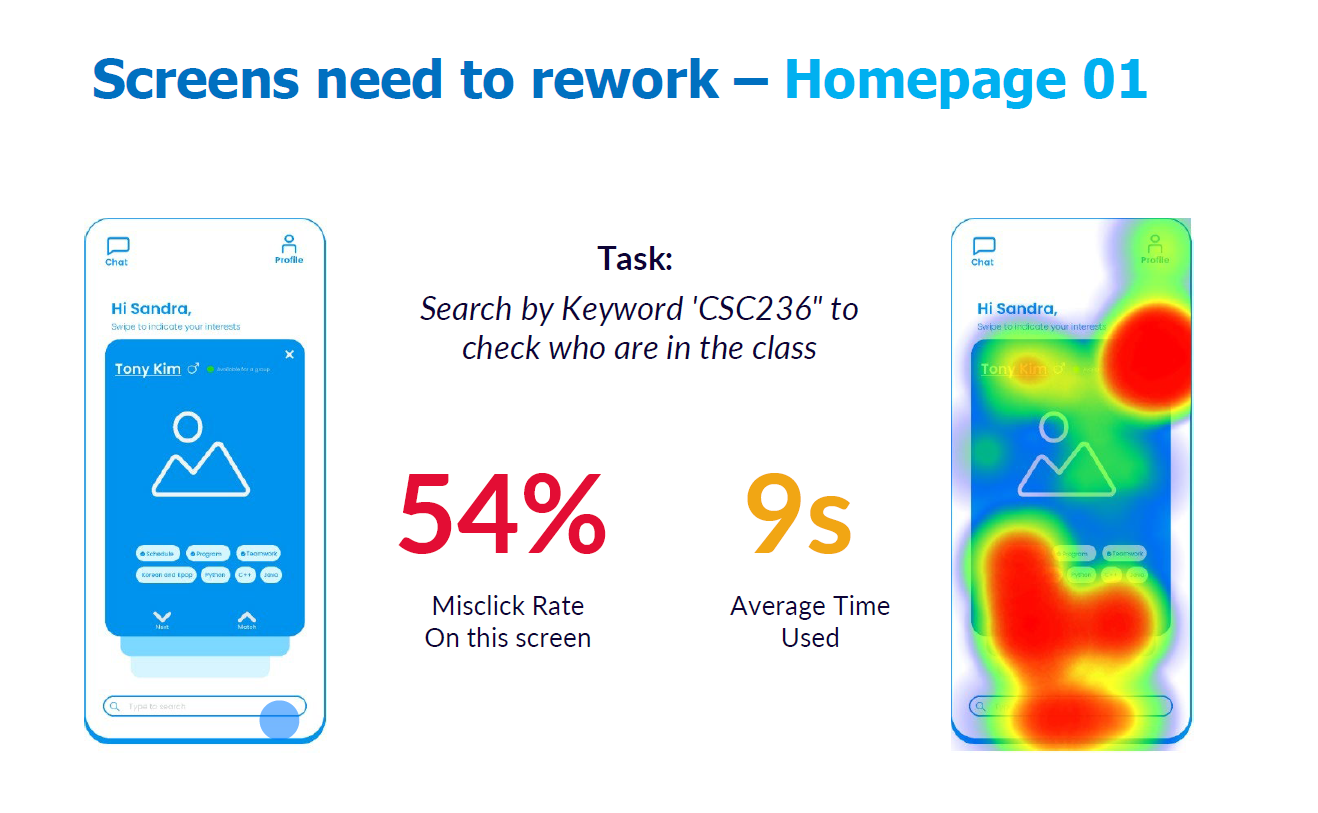
Major improvements
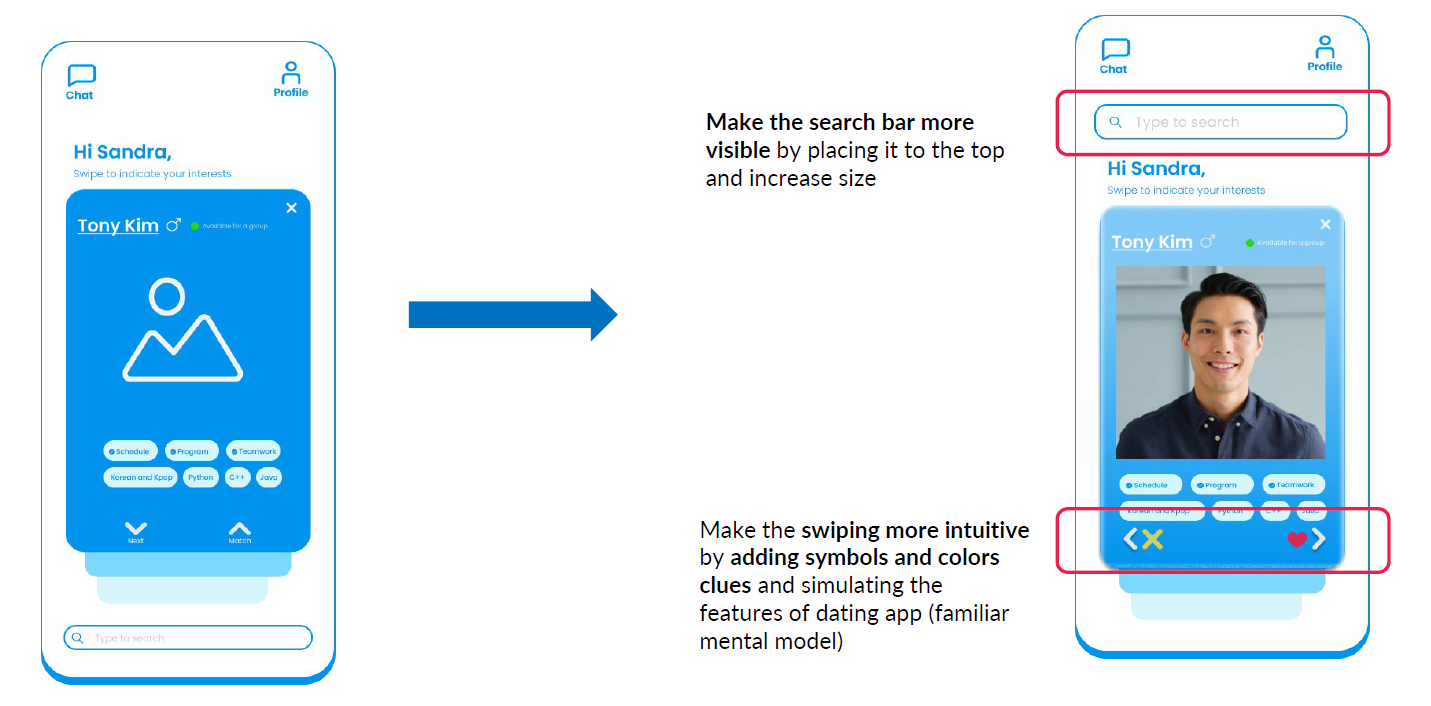
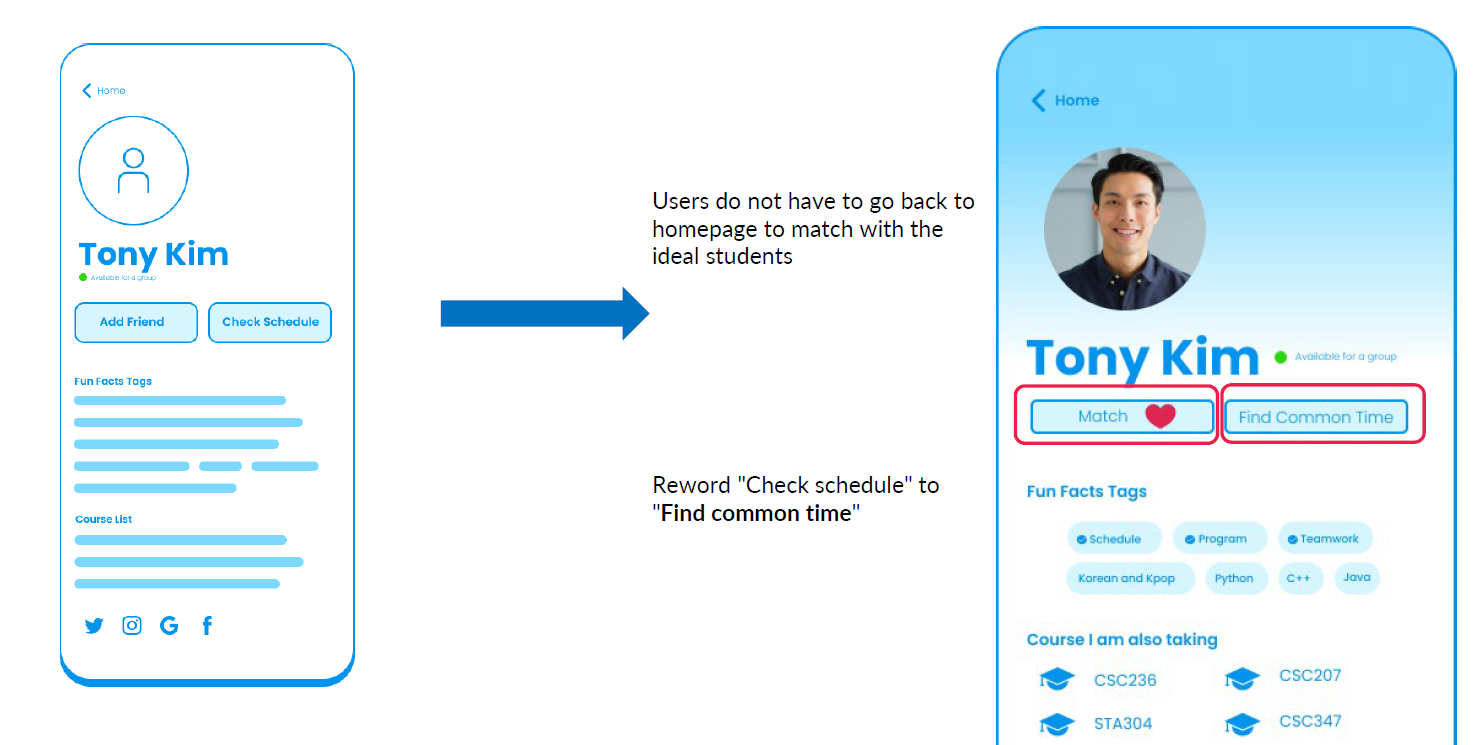
What did we change for the high-fidelity prototype based on the feedback?
The Outcome
Hello! I’m Nest.
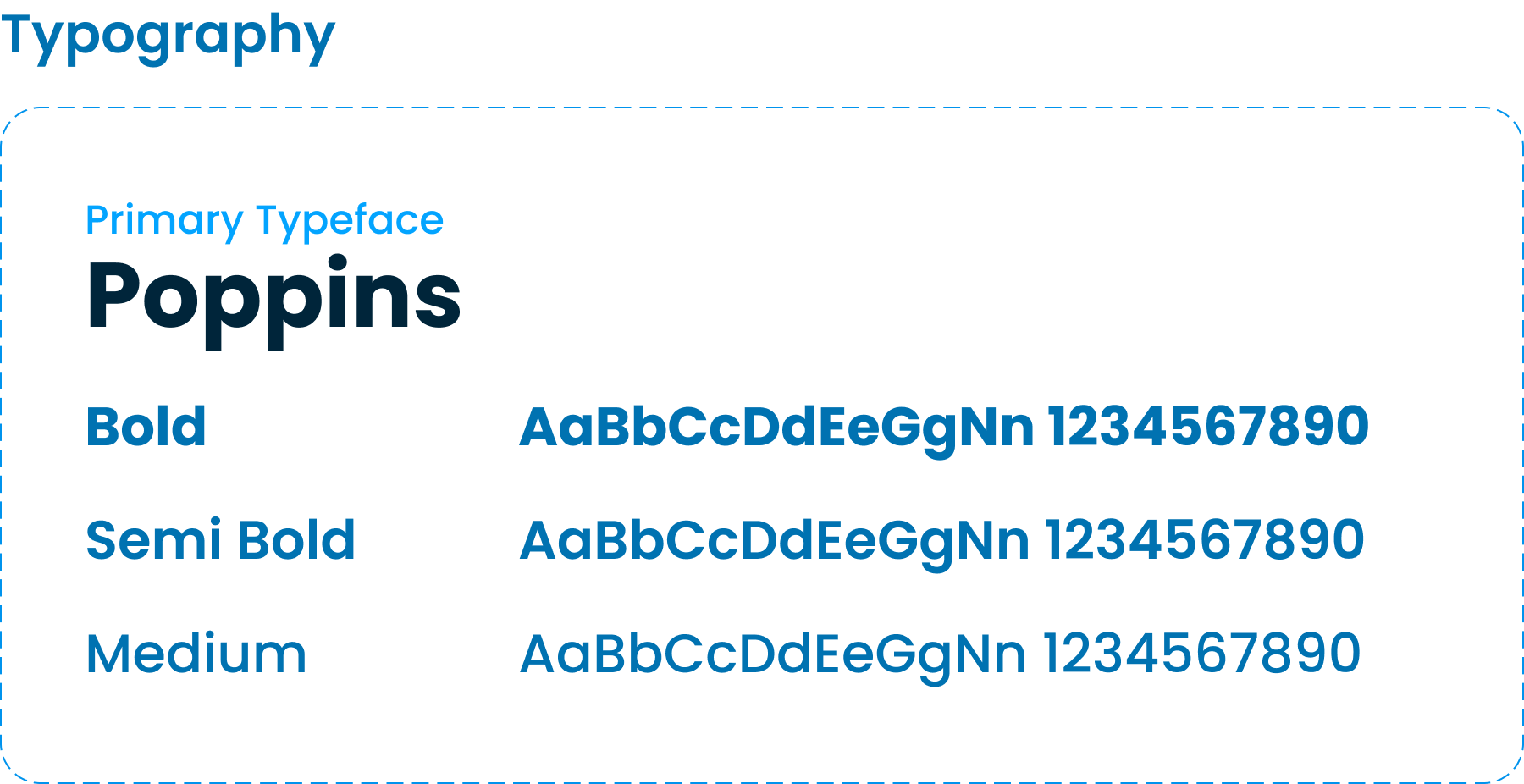
Typology and styles