
Making Ontario Archives Searchable
How user research reshaped a complex government archive platform and unlocked real adoption
Timeline
January - May 2023
UX Lead (me), Design Manager, Archivists, Project Advisor
Team
My Role
Led research strategy, conducted usability testing, delivered actionable recommendations
In 2022, the Archives of Ontario launched a new system—AIMS—to unify four legacy databases into one platform.
On paper, it solved everything.
In reality, people struggled to use it—and many quietly returned to the old systems.
That’s where I came in.
The Story behind
AIMS was designed to simplify access to archival records—but users couldn’t:
Find what they were looking for
Understand how the system worked
Trust the results they were getting
And internally, something more complex was happening: Teams were resisting the new system altogether.
The Problem
Researchers, genealogists, students, legal professionals
Internal archives staff and ministry teams
Both first-time users and experienced database users
Who were affected?
What we uncovered went far beyond usability issues—it reshaped how the team thought about the product.
11 strategic and 41 detailed recommendations defined a clear path forward
Critical blockers to adoption were identified and prioritized
UX moved from an afterthought to a key decision driver
Management-staff relationships improved, and cross-functional collaboration expanded.
This was no longer just research—it became the foundation for a broader transformation.
Results
Project kick-off workshops
Platform walkthroughs and stakeholder consultations
UX heuristic evaluation
Usability testing with diverse user groups (novice + expert)
Synthesized findings into clear themes and opportunities
(Note: This phase of research focused on the homepage and two core search tasks to deliver fast, actionable insights.)
The Research Process
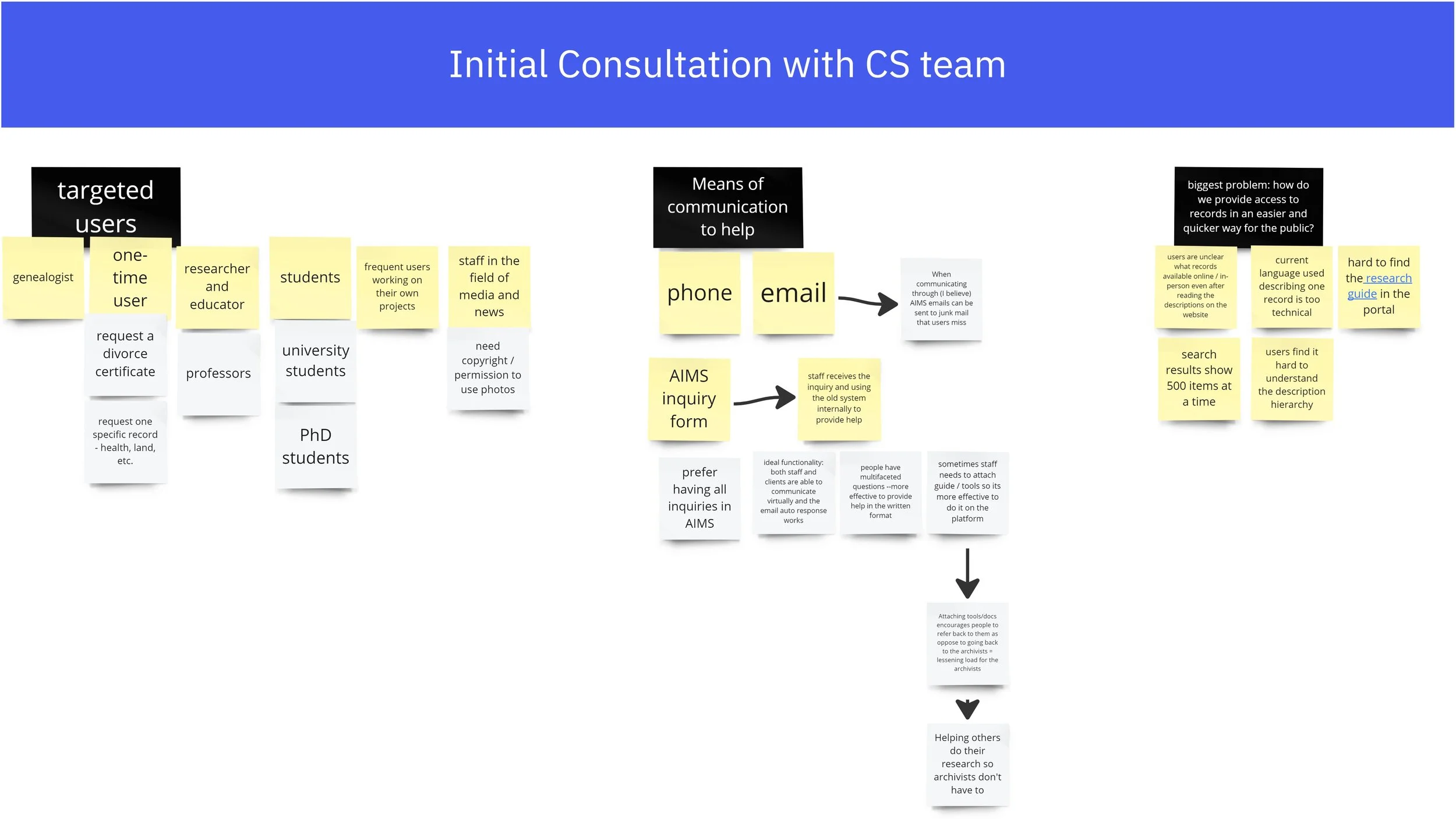
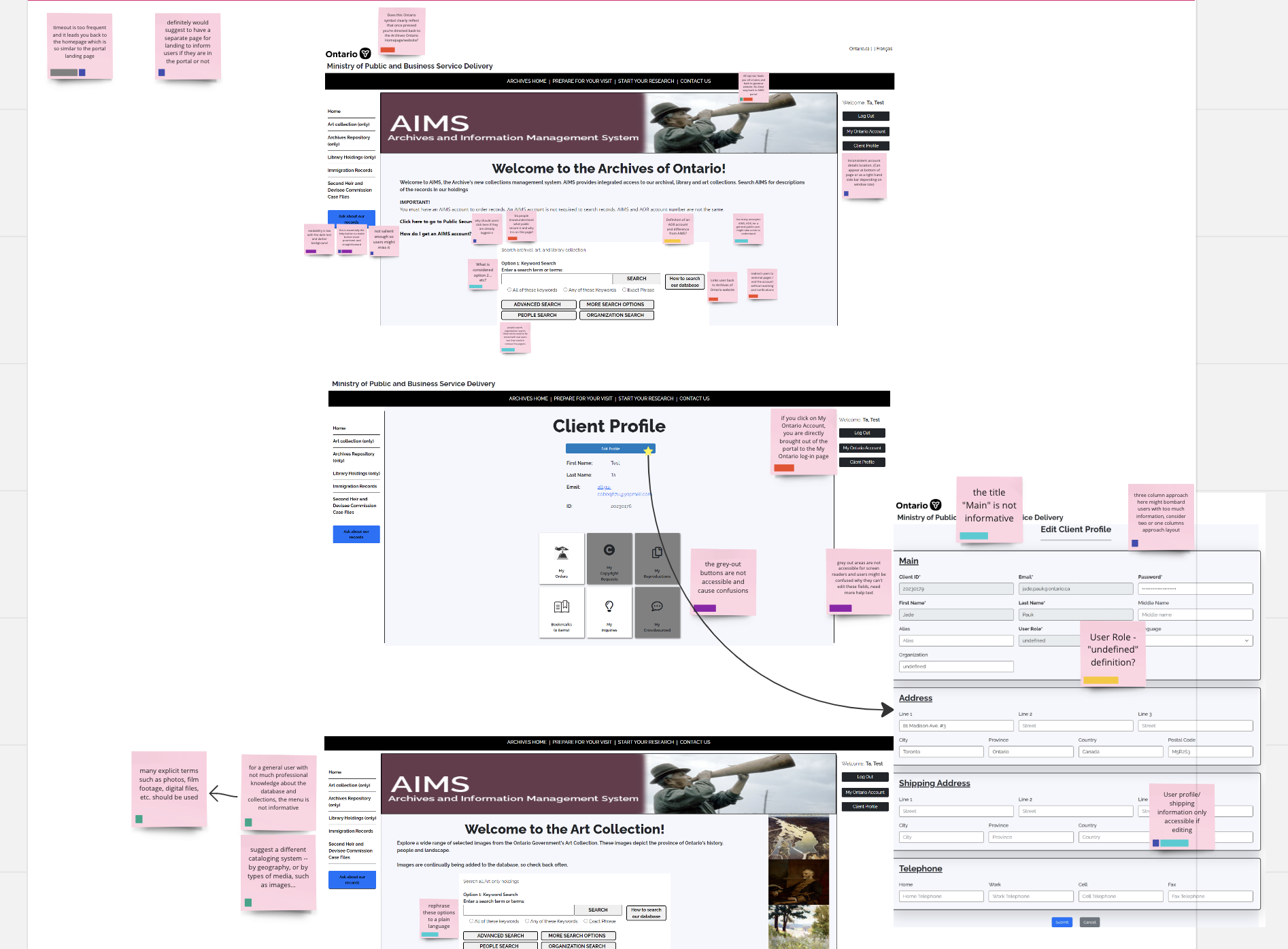
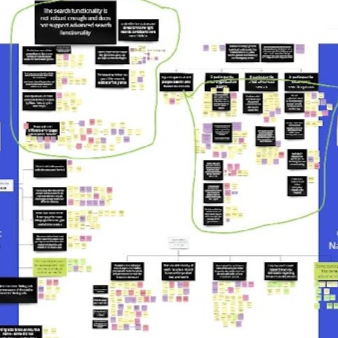
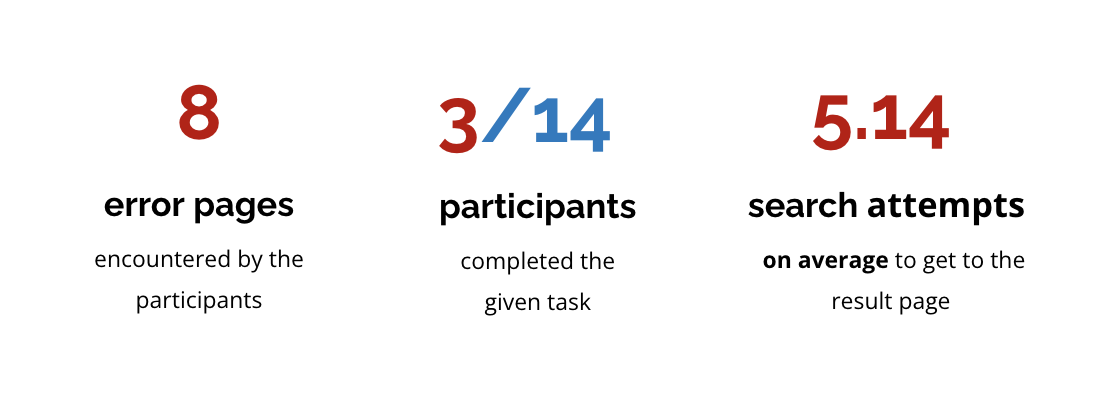
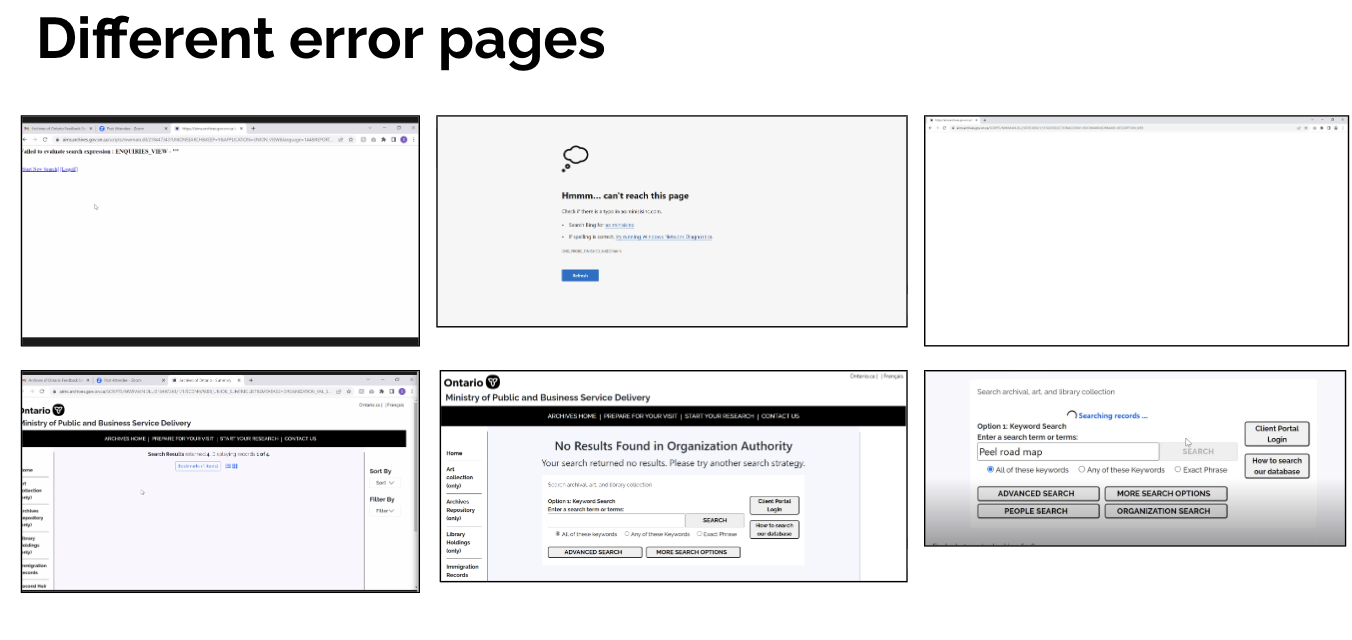
After consulted with the internal staff and conducted 14 usability testing sessions with the real users, I discovered several pain points:
Usability & Search
Search didn’t match user expectations (e.g., Google-like behavior)
Poor layout made results and records hard to scan
Navigation and calls-to-action were unclear
Content & Clarity
Heavy jargon and unclear labels
Instructions and help content were easy to miss
Record hierarchy (fonds, series, etc.) caused confusion
System & Accessibility
Frequent timeouts and technical glitches
Broken navigation and inconsistent structure
Missing or outdated help resources
Key Pain Points Discovered
“I find the information presented abstract”
The biggest issue wasn’t just usability. It was trust:
Leadership believed in the new system
Staff avoided it
Previous “improvements” had failed, leaving staff skeptical of UX and the value of user research.
I realized: Research alone isn’t enough—it needs to drive decisions, secure buy-in, and keep teams aligned and accountable.
The Twist
Listen First
I stepped beyond formal meetings and spoke directly with frontline staff to understand real workflows and frustrations.
Go Where the Truth Is
When initial leadership sessions lacked actionable insights, I restructured engagement to include subject matter experts and daily users.
Ground Everything in Evidence
Through usability testing and research, I translated frustrations into clear, defensible insights.
Turn Insights Into Direction
I focused on practical, prioritized recommendations the team could act on immediately.
Adapting the approach
This project taught me that:
Research can drive alignment—not just insights
UX can influence adoption, not just interfaces
Even in complex government systems, change is possible—with the right approach
Learnings
Want to see how I tackled this problem step-by-step?
contact me at erxun.design@gmail.com so that I can walk you through the methodology and the process.